

Pinterest Carousel Pins: What to Put on Every Slide
You know how to upload a carousel to Pinterest. Now you have several blank slides and a harder question: what belongs on each one? Useful Pinterest carousel pins do more than bundle related graphics. Each slide should build on one clear idea and give someone a reason to keep swiping.
RELATED: The Complete Pinterest Marketing Strategy I Tell My Friends
When Pinterest carousel pins make sense
Choose a carousel when the viewer benefits from seeing several parts of one problem, multiple ideas around a topic, a related product collection, or information that needs more than one slide. If one pin communicates the whole point clearly, use one pin. The format should serve the idea.
Before designing, ask: What is the viewer trying to accomplish? Your answer points to one of three structures.
1. Problem to solution: help someone fix something
Use this structure for mistakes, troubleshooting, audits, myth busting, and educational content. Open with a problem the viewer recognizes. Use the middle slides to diagnose it, then finish with a clear place to start.
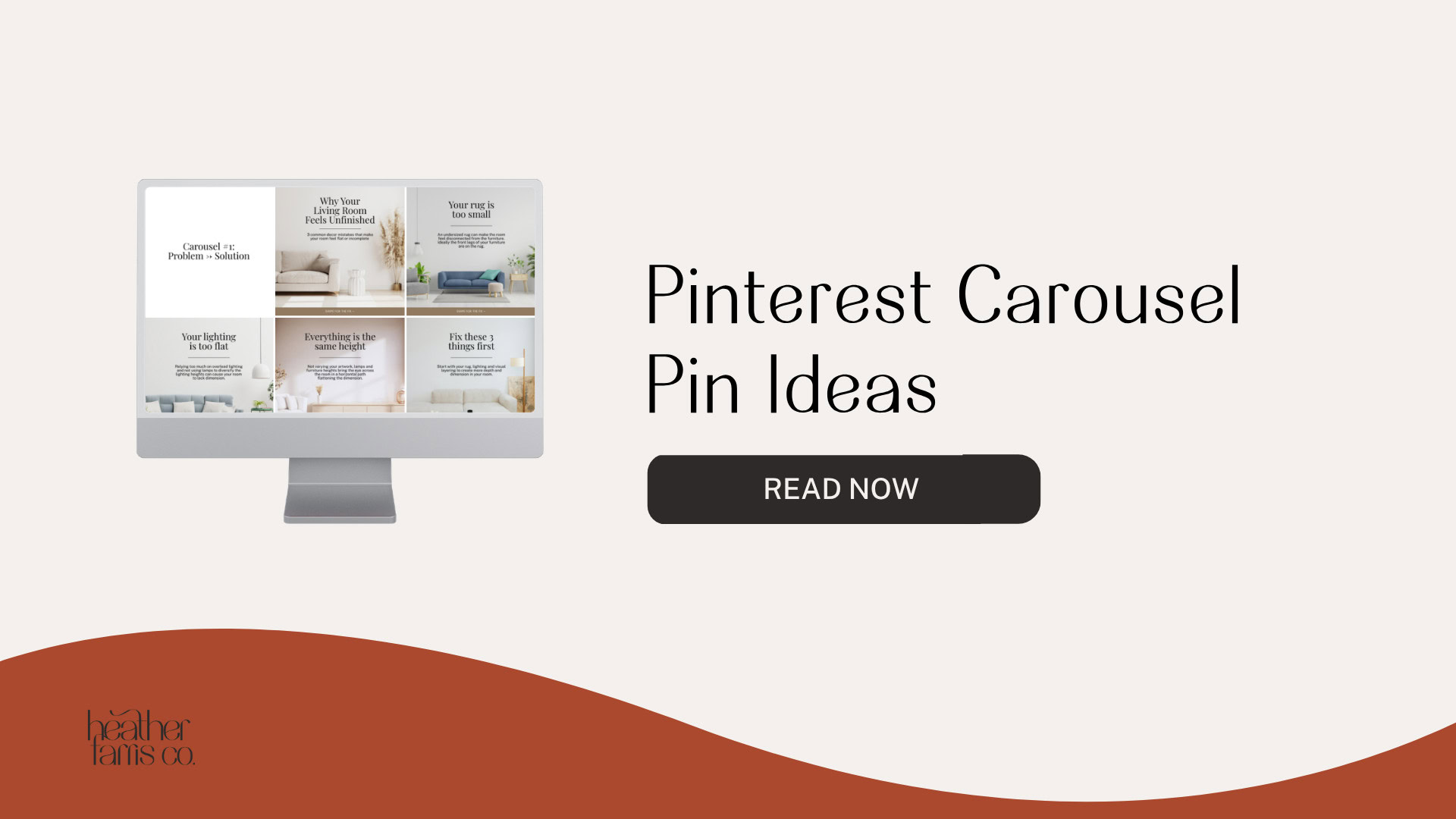
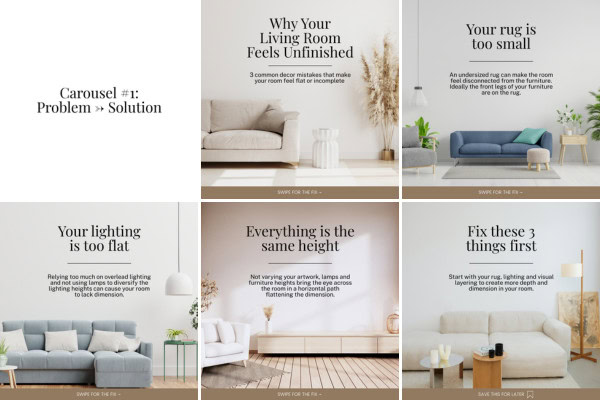
Example: Why Your Living Room Feels Unfinished
Slide 1: Why Your Living Room Feels Unfinished
Slide 2: Your rug is too small
Slide 3: Your lighting is too flat
Slide 4: Everything is the same height
Slide 5: Fix these three things first
The opening makes someone wonder which issue applies to their space. Every later slide should clarify that same problem and move toward a useful fix. Do not drift into an unrelated decorating challenge.
2. One topic, multiple ideas: offer focused inspiration
The slides in Pinterest carousel pins do not need to be sequential. They need a common topic and search intent. This structure works for tips, lists, examples, inspiration, and blog roundups.
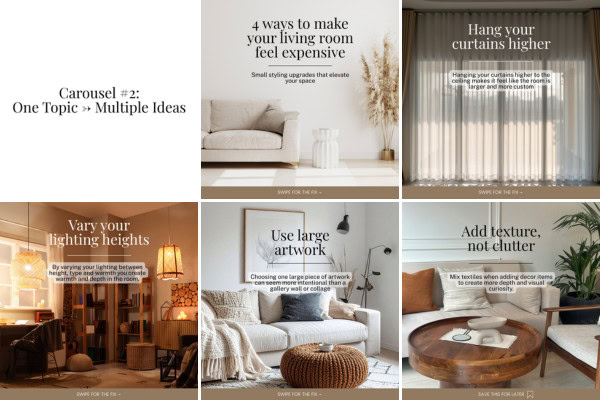
Example: 4 Easy Ways to Make a Living Room Feel More Expensive
Slide 1: 4 Easy Ways to Make a Living Room Feel More Expensive
Slide 2: Hang curtains higher
Slide 3: Vary your lighting
Slide 4: Use larger artwork
Slide 5: Add texture and remove clutter
Each idea serves the same living room goal. A carousel that jumps from living room decor to kitchen organization, bedroom paint, bathroom storage, and patio furniture may share a broad category, but it does not answer one viewer need.
3. Product collection: help someone compare options
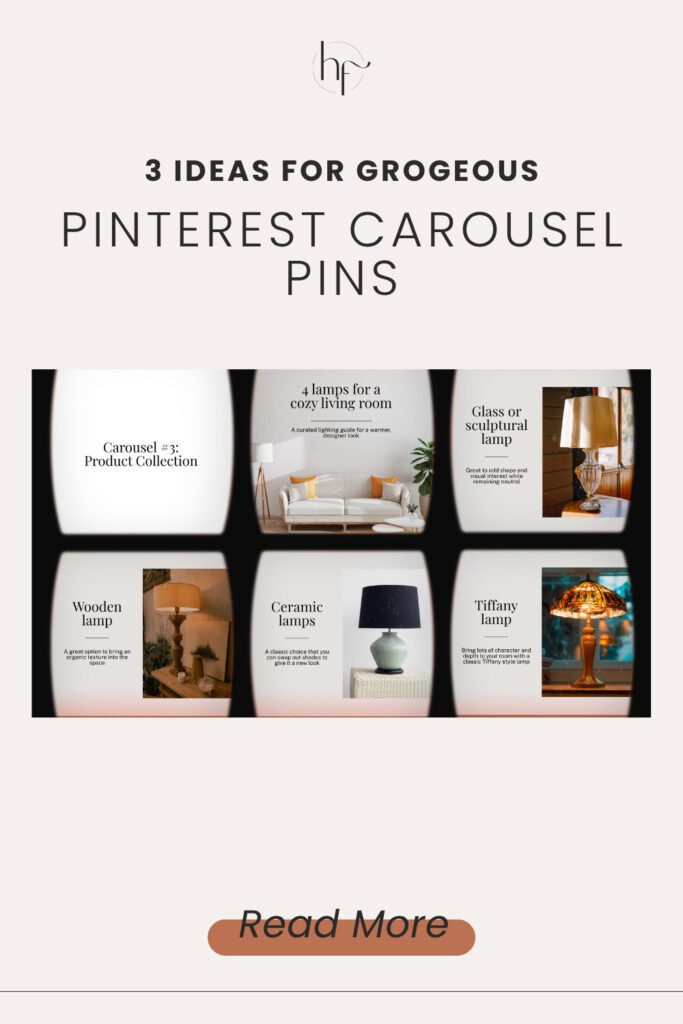
Pinterest carousel pins featuring products can help shoppers consider several items that fit one purpose. The products do not have to be identical or come from one collection. What connects them is the shopping intent. This can work for ecommerce, affiliates, gift guides, and product roundups.
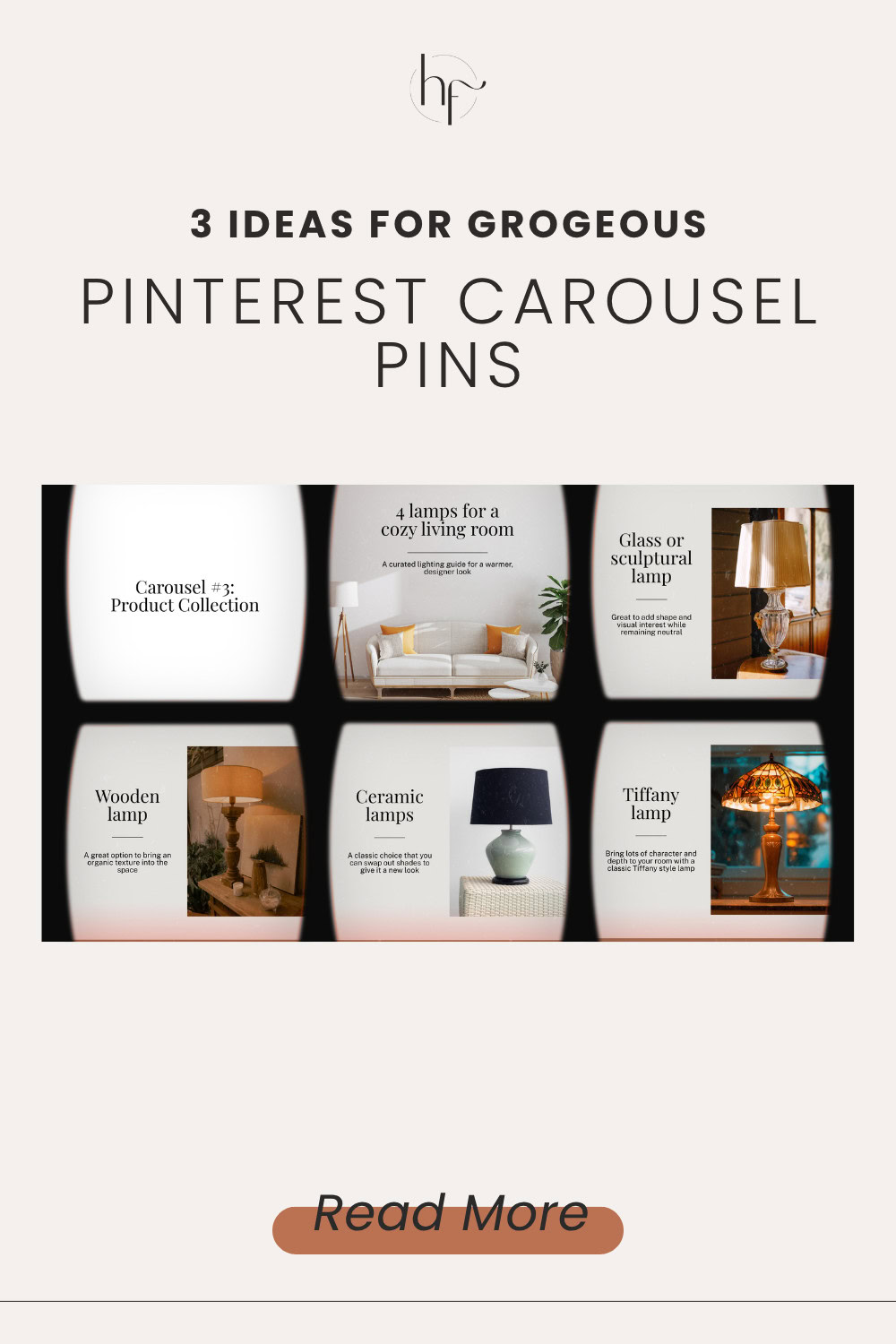
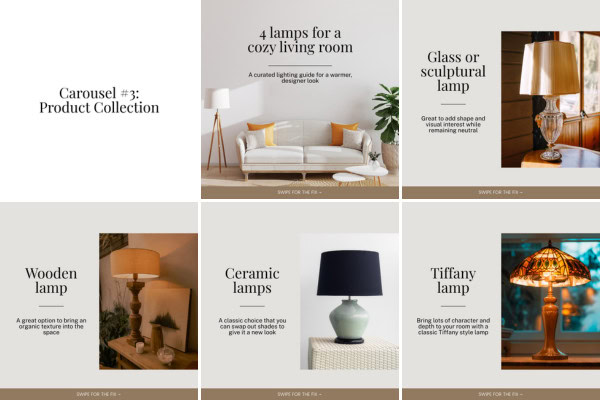
Example: Neutral table lamps for a cozy living room
Open with the idea of warm, cozy lighting. Follow with lamp options such as ceramic, a textured linen shade, a wood base, and a glass or sculptural design. The viewer can compare styles while staying inside one shopping goal. Heather also notes that the light bulb itself affects warmth, so avoid implying that lamp materials alone create the lighting result.
Apply the same structure to pendant lights for a kitchen, gifts for new moms, storage for a small bathroom, or dresses for a summer wedding. Keep the collection centered on the same decision.
How to plan Pinterest carousel pins before you design
1. Write the viewer’s goal in one sentence: fix a problem, gather ideas, or choose products.
2. Pick the structure that matches that goal.
3. Draft the opening slide as a clear promise.
4. Give every following slide a distinct job that fulfills the opening promise.
5. Read the slides in order. Remove repetition, topic changes, and any slide added only to fill a space.
A carousel should feel like one connected idea. It should not be several separate pins bundled together. Check the current Pinterest builder before publishing because available creation routes and slide limits can change.
Video or Content Pinterest Templates
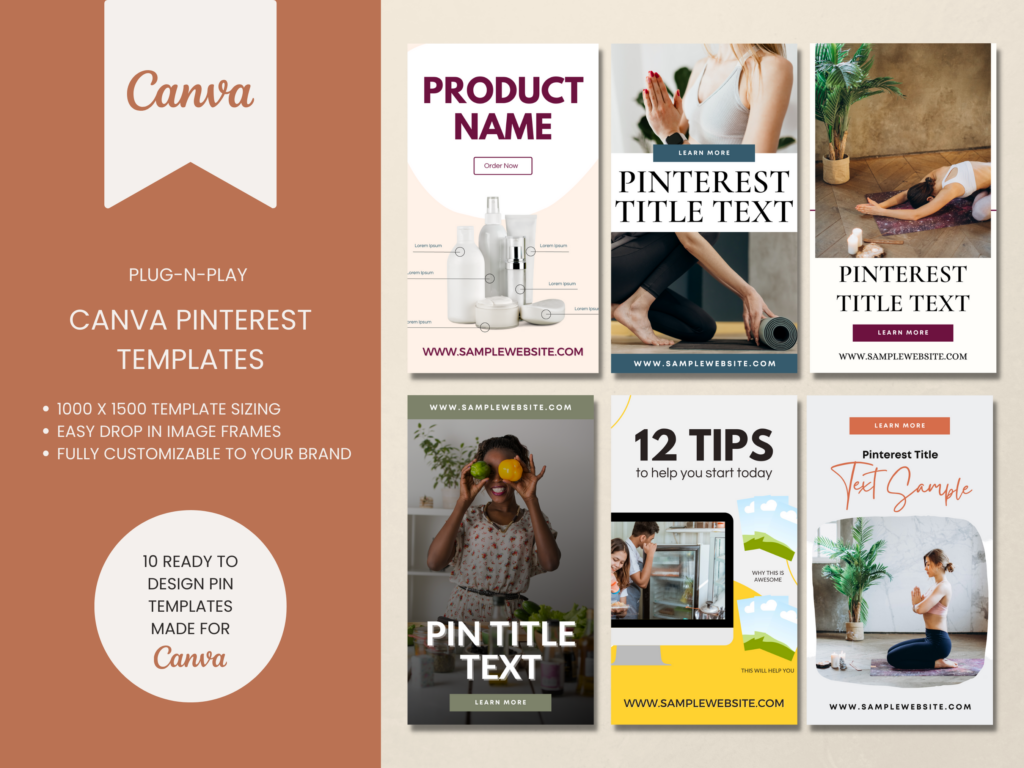
If you want traffic don’t rely on something just whipped up! Speed up your pin creation by using templates to get more pins out faster and more often.
These Pinterest templates are great for video content or blog posts & are ready to go. You can start creating pins on Pinterest in minutes.
RELATED: How to Make Carousel Pins on Pinterest in 2 Easy Ways
For current creation options and specifications, consult Pinterest’s official carousel guidance before publishing.
Build a strategy for Pinterest carousel pins
When you plan Pinterest carousel pins around the viewer’s goal, you can choose a structure, draft an opening promise, and give each slide a purpose. That leaves you with a focused carousel plan and a way to decide when one pin would communicate the idea better. It does not guarantee reach or sales; it gives your content a clearer job.
If you want support putting carousel content into a complete Pinterest marketing strategy, join Pin Profit Academy.
Pin Profit Academy
Marketing can be difficult and trying to figure it out on your own, especially with Pinterest, can be overwhelming.
I will show you how to double your traffic and sales without spending another minute on social media!
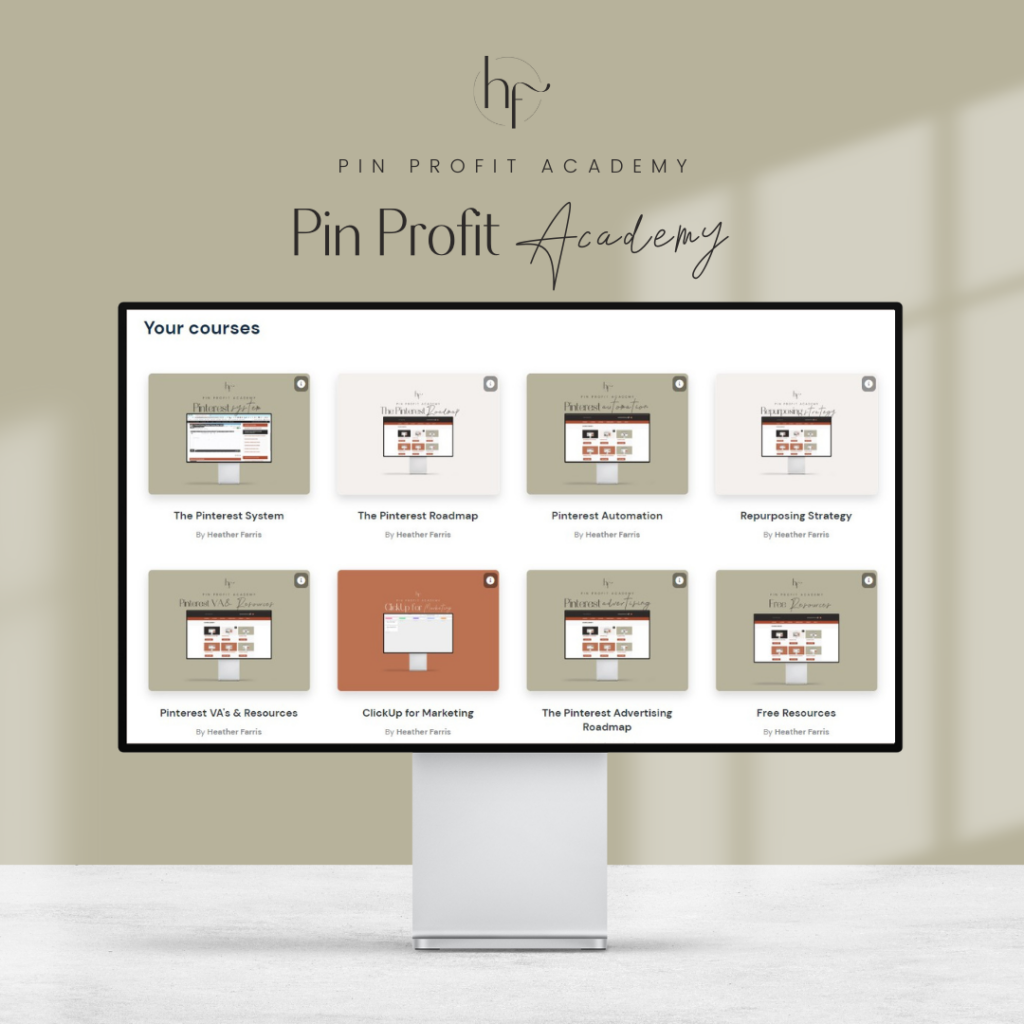
PPA is the only comprehensive membership program & community for creating, marketing & selling your products & services using Pinterest.
Pin it for later

Heather Farris went to school for accounting and worked for years in banking and finance. After finding all of that entirely too boring she started her first blog in her basement in August of 2016. She has started 3 blogs in the marketing, motherhood and travel niches and used Pinterest to grow them all. She quickly became the go-to Pinterest strategist in her peer circles and has been implementing strategies, driving traffic and sales through organic and paid tactics for her clients. On this blog and her YouTube channel, as a renowned Pinterest marketing expert, she educates the public about clear and transparent marketing strategies to help them to grow on Pinterest and in other places online. She created Pin Profit Academy and helps small business owners just like you to master their Pinterest marketing strategy. Heather is now a Pinterest Educator, one of the very few sponsored by Pinterest.