

Content Marketing on Pinterest: 11 Mistakes Businesses Keep Making
Are you wondering why you aren’t making any movement on Pinterest with your business? Chances are you’re making one or more of these 11 mistakes with your content marketing on Pinterest.
Today I’m diving deep into the 11 mistakes businesses make on Pinterest and how you can fix them. I’m going to assume you already know the rookie mistakes you should not be making. Some of those include not:
- Having a business account
- Using rich pins
- Having a branded Pinterest account
- Claiming your website
- Having branded images
Yes, while those things are important, I still think you can send more traffic to your site by fixing the following 11 mistakes I plan to diving into today.
Mistakes Businesses Make With Content Marketing on Pinterest
When you are working hard on content marketing on Pinterest, it can feel really crappy when you don’t see any ROI. You work hard writing posts, making videos, and see little to no traffic.
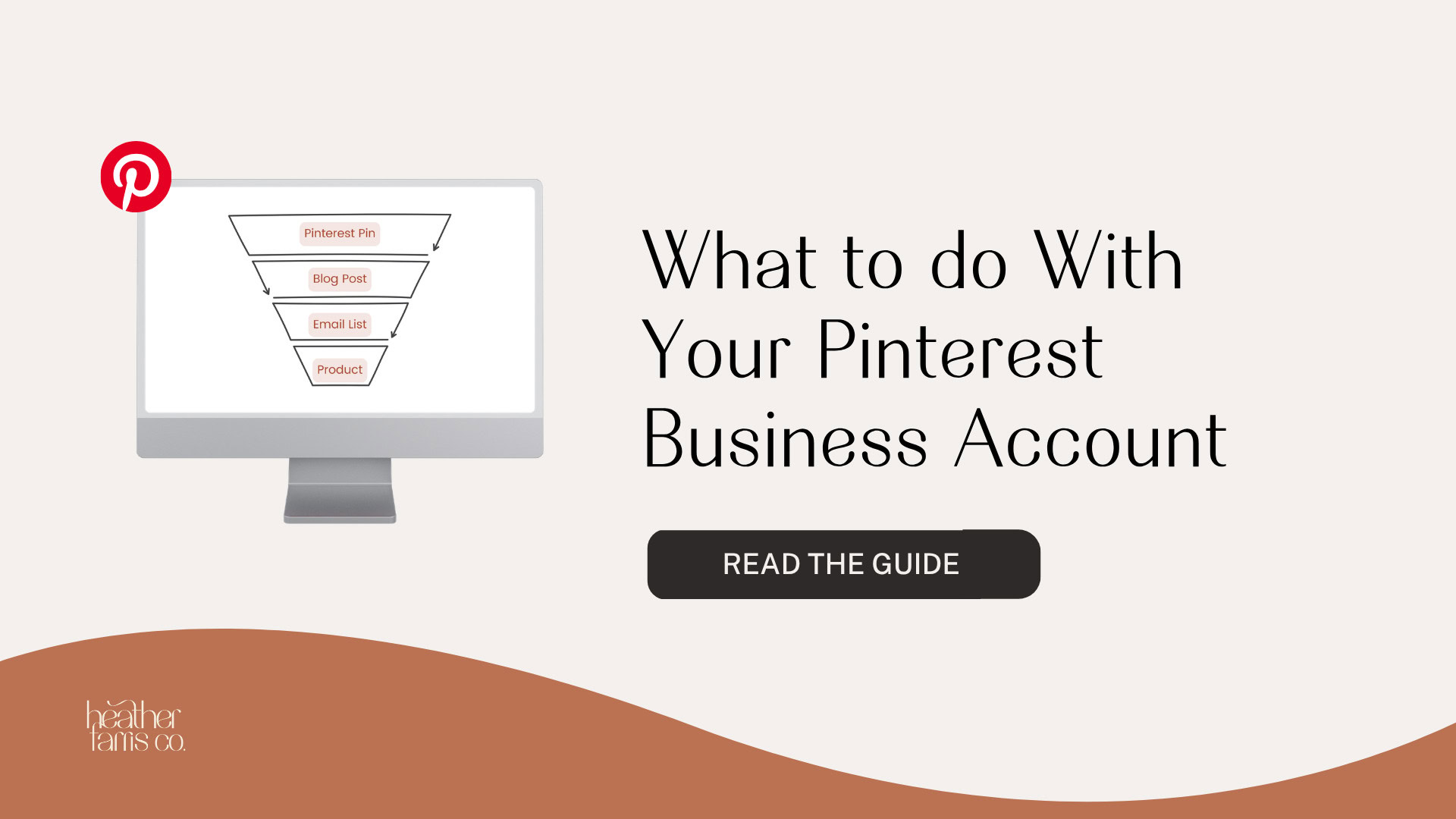
You created this awesome opt-in on your blog posts, you built a full marketing funnel, but no one is opting in to your email list when they land on your site.
You probably need to spend more time on Pinterest and that is probably the last thing you want to hear. But marketing on Pinterest isn’t for the faint of heart. If you want to send traffic to your site that converts you need to be working hard on fixing these mistakes.
RELATED: The Complete Pinterest Marketing Strategy I Would Tell My Friends
1. Fix Your Lack of Keywords in Your Bio
I’ve said it before and I’ll say it again… If you aren’t focusing on Pinterest SEO then you are wasting your time. Doing a little keyword research and writing an effective profile description should take roughly 5 minutes of your time.
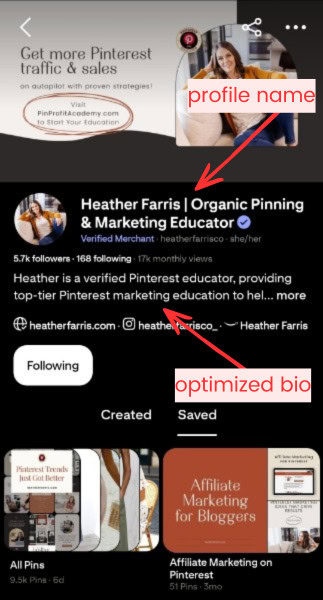
You should aim for 2-3 long tail keywords to start. I prefer to use 3-5 long tail keywords so I can maximize my 500 characters for my description. This is vital.
RELATED: 6 Places to Use Keywords to Optimize Your Pinterest Profile
2. Not Effectively Using Boards
Chances are you are still stuck in your old way of thinking… write post, make pin, pin post to your “Best of” board, send pin through Tailwind. Does that sound familiar? I used to do this same exact thing.
That is until Pinterest made it clear that the board SEO will follow the pin around. So an effectively keyworded pin sent to a keyworded board will help that pin go further in the algorithm. Not a jumbled “Best of” board that isn’t optimized for anything.
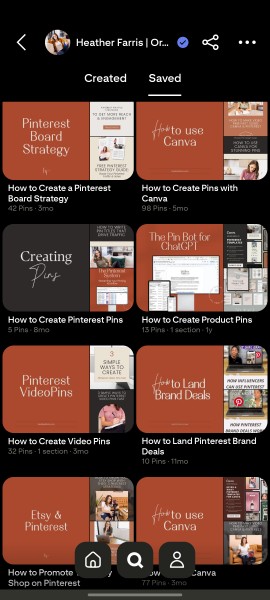
Every time you publish a pin, send your pin to the most relevant board first. Every board should be optimized to all your topics, subtopics, and curated content.
RELATED: The Ultimate Guide to Create Your Pinterest Board Strategy
3. Not Creating New Images Regularly
When you publish a post, page, video, etc. you create 1 image and pin it to Pinterest. Beyond that you don’t create any new images for it and just keep rotating the old one through your schedule.
You need to get into the habit of creating many pins for your content. You can start with just one if you want, then come back and create new pins again later. But multiple is necessary, even very smart.
I would suggest coming back and making new pins for posts and pages that are doing well first, and your promotions or seasonal trending content. Then sprinkle in the other posts that you want to do better.
The only exception to this would be for your opt-ins and products. Create all the pins for those! On a regular and consistent basis have those in circulation without them becoming spammy.
RELATED: How Often Can You Pin the Same URL to Pinterest Without Being Spammy?
4. Not Living up to What You’re Promising on Your Pins
When you make a pin, don’t use clickbait titles to get people to come over to your site. You want to make sure when a pinner clicks on your pin and lands on your site, that you are giving them a warm welcome. That welcome should include a smooth transition from the pin to the page.
A good way to do this is to link directly to the item your pin features. If it’s a product for sale link it to the page where they can buy the product. If you are promising a tutorial, then link to the blog post or video.
If they land on your page and you aren’t delivering on what you promised, then they will leave. It needs to be what they expect to find. If they bounce fast, this tells Pinterest something about what you create.
This tells Pinterest the content they landed on might not be as relevant as they thought, which could hurt your ranking. Pinterest has recently started asking you if you found what you’re looking for.
See that red box on my phone screen below? This is what Pinterest may ask to get your feedback after you’ve clicked through a pin and landed on a site.
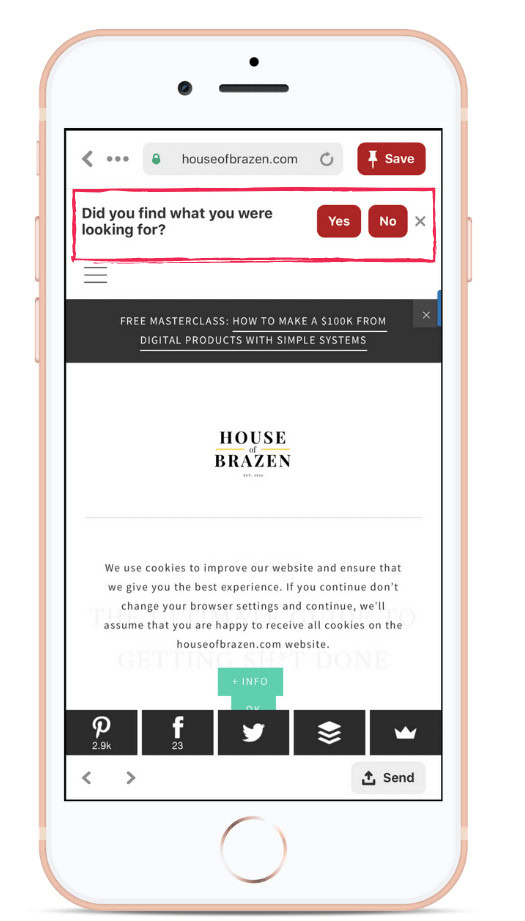
So if users are saying “no” after clicking on one of your pins, Pinterest will de-prioritize your content. Especially if the majority of visitors are disappointed in what they land on from your pin.
5. Not Claiming Your Other Sites on Pinterest
You can now claim your other social media sites on Pinterest. When you pin content from those sites Pinterest will attribute the content to you. What does that mean?
Instead of being a simple Shopify store product on Pinterest with no additional information, it puts a “by [your name]” line on your pin. If you click on the name it will take you straight to your shop. You can also claim your Instagram profile, all of your websites, and even your Amazon storefront.
RELATED: How to Claim Your Instagram Account on Pinterest
6. Not Repurposing Your Content for Pinterest
When you create content, but you aren’t making time to repurpose that content for Pinterest, then you are wasting your valuable time. Everything you create can go much farther if you apply it in as many places as you can. And Pinterest gives you long game, not short 4 hour windows like some platforms.
My clients always ask me what else they could be doing. I always tell them creating new pins for existing content. When you think of repurposing content for Pinterest what do you think of? I think of:
- Creating pins for YouTube videos and podcasts
- Using reels or Tiktoks for video pins
- Making new pins for featured or seasonal evergreen posts
- Pinning Instagram photos and carousels
- Taking a step by step blog post and making a pin for each step
- Creating pins for Facebook Lives you’ve polished
- Use your shop product images as pins
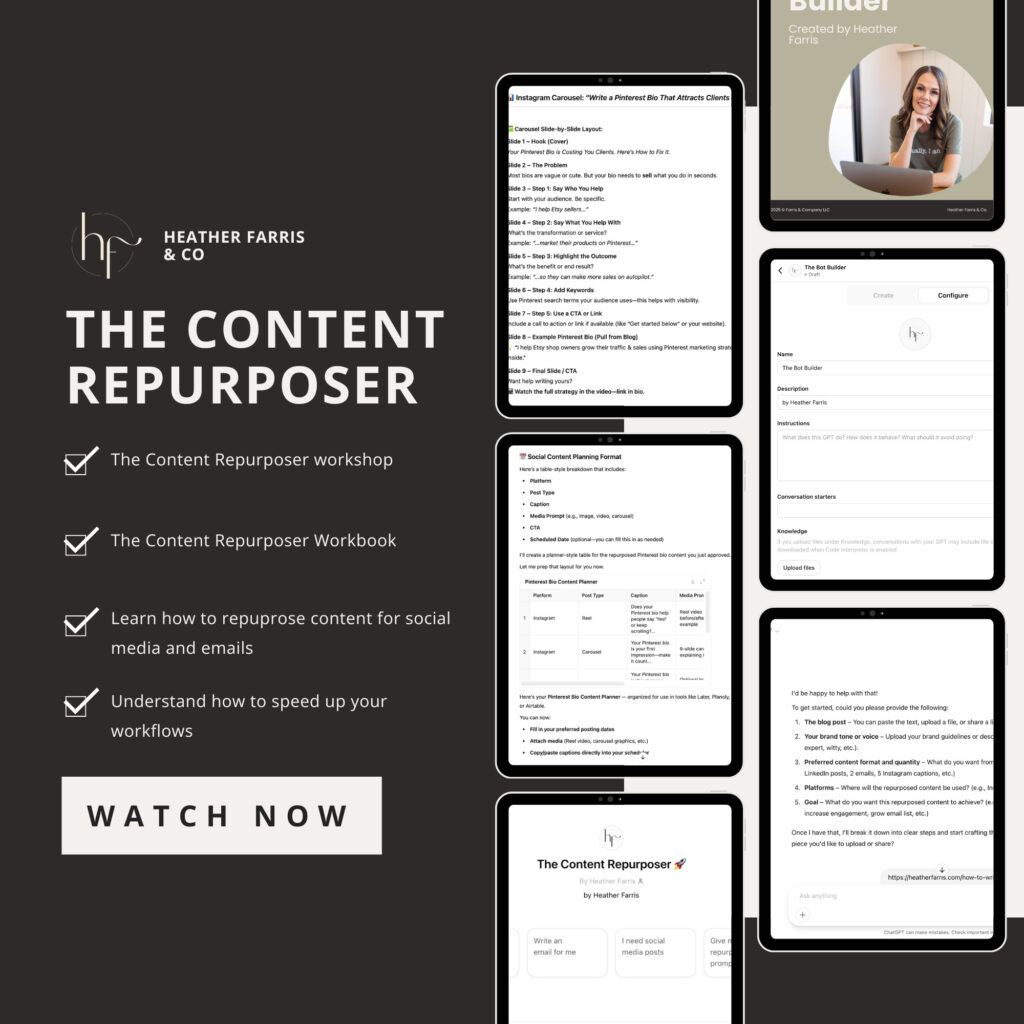
Content Repurposing Chatbot
Turn your long-form content into scroll-stopping posts without doing it all yourself.
This custom-built chatbot is designed to help you repurpose your blogs, podcasts, YouTube videos and more into high-quality social media content and email really fast.
This is just a short list of ways to repurpose your content. The best part of this whole thing, is that you already have so much content already, you just don’t realize it yet.
Plus, Pinterest does NOT penalize you for linking out or sending traffic away, like other platforms certainly do. Huge win! Content marketing on Pinterest should be a no brainer!
RELATED: How to Audit and Reuse Old Content
7. Not Asking Your Audience to Pin Your Pins for Later
Simply put, you can ask your audience to help you out. Chances are if you send an email to your audience, and they open it and like what they read, they likely might want to save it for later.
So in this week’s email newsletter, or future communications to your audience:
- Include a link to your latest blog or podcast and ask readers to pin it.
- Include small image previews of pins and links directly to them, or the boards they’re on.
- If you have multiple brands, highlight complimentary products or topics readers can pin as well.
- If you feature clients or customers, depending on your audience, highlight their pins too.
You don’t have to do all of these things. Just recognize that your audience can help you very organically with your Pinterest pins too. If they have been faithful, enjoy what you create, and are even paying customers, they’re much more likely to share or engage with your other content just as a thank you.
RELATED: How to Optimize Your Blog Content for Pinterest Users
8. Not Using Analytics to Guide Your Strategy
Chances are you are still in a mindset of writing content because it interests you, not your audience. When you are creating a content plan you need to use your analytics to guide your planning.
Check your Google Analytics and Search Console to see what people are reading on your site. You have to start writing for your audience and stop writing for yourself.
RELATED: Pinterest Analytics – A Simple Guide to Read and Analyze Your Data
9. Not Optimizing For Mobile
You probably don’t even think of this, because you bought a theme and the theme promised it was mobile responsive, right? But are you actually reading your own content on mobile once you post it? If you’re not, start now.
After every single blog post my content manger publishes, she reviews it on both desktop and mobile to tweak every time, because it’s different in both places.
Also, once you pin your content to Pinterest, head over there on your mobile app and check out your pins. Make sure they look good and are easy to read. Adjust your templates if needed after review.
RELATED: The Ultimate Pinterest Traffic Strategy for Bloggers & E-Commerce Shops
10. Not Pinning for Trends
If you aren’t planning ahead of time and pinning for seasonal trends, you are losing out. If you haven’t noticed this already, the entire platform tends to shift when a major trend hits.
Take July 4th for example… No matter how much you pin a certain topic, let’s say blogging, your feed will likely be filled with everything red, white and blue from Memorial Day to July 4th.
Make sure you’re pinning for trends in advance and creating content to relate to those trends. Content marketing on Pinterest will take forethought. But when you ride that wave, you come out on top every time.
RELATED: The Pinterest Trends Tool Just Got Better
11. Not Pinning Consistently
This is a big one and if you aren’t putting in the time to create content and pin consistently then you are wasting your time. At least one pin every day. Regular activity on the platform IS the same as any other, growth for consistent use and engagement.
Running a Pinterest strategy will take time, and I don’t mean an hour a week. I mean 6-9 months (preferably a year) at a bare minimum to see a decent ROI on your work. This is a long game and if your’e going to start, don’t stop.
RELATED: How Often You Should Pin on Pinterest
Turn Your Content Marketing on Pinterest Into Wins
The difference between Pinterest accounts that drive real results and those that don’t, comes down to strategy. We’ve covered 11 critical mistakes that severely weaken your content marketing on Pinterest. From missing keyword optimization to underestimating all of the work required to succeed on this platform.
When you fix these mistakes, your Pinterest account becomes a genuine traffic driver, and long term reliable resource supporting your business. Change these mistakes and you’ll see more qualified visitors seeing your content, better pin performance, and ultimately, higher conversions.
Ready to take your Pinterest strategy to the next level? Join Pin Profit Academy to master the advanced tactics and systems that turn Pinterest into consistent, profitable results for your business.
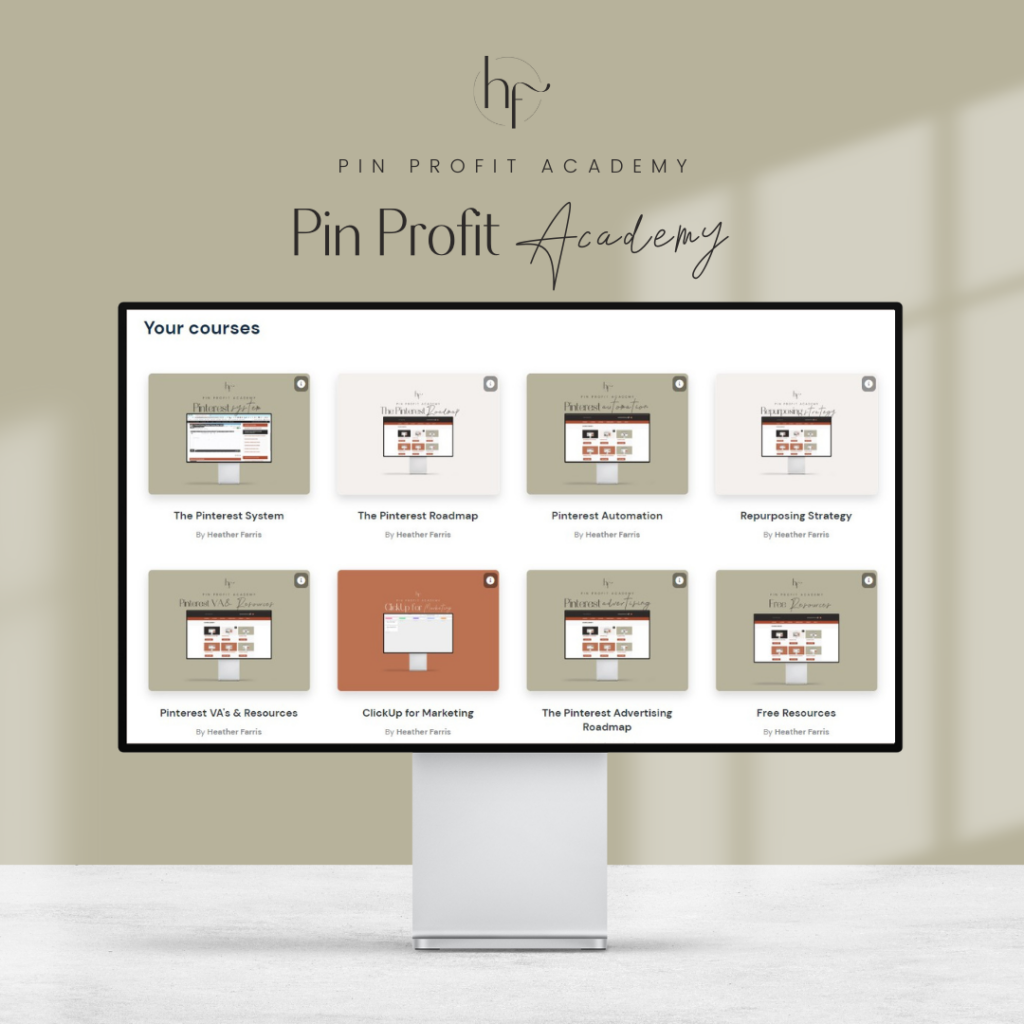
Pin Profit Academy
Marketing can be difficult and trying to figure it out on your own, especially with Pinterest, can be overwhelming.
I will show you how to double your traffic and sales without spending another minute on social media!
PPA is the only comprehensive membership program & community for creating, marketing & selling your products & services using Pinterest.
Pin it for Later

Heather Farris went to school for accounting and worked for years in banking and finance. After finding all of that entirely too boring she started her first blog in her basement in August of 2016. She has started 3 blogs in the marketing, motherhood and travel niches and used Pinterest to grow them all. She quickly became the go-to Pinterest strategist in her peer circles and has been implementing strategies, driving traffic and sales through organic and paid tactics for her clients. On this blog and her YouTube channel, as a renowned Pinterest marketing expert, she educates the public about clear and transparent marketing strategies to help them to grow on Pinterest and in other places online. She created Pin Profit Academy and helps small business owners just like you to master their Pinterest marketing strategy. Heather is now a Pinterest Educator, one of the very few sponsored by Pinterest.