

What to Do After Creating a Pinterest Business Account
You created your Pinterest business account, and now you are looking at a possibly empty profile thinking, “What am I supposed to do with this thing?”
This is where beginners often start doing random tasks: making a bunch of boards, following people, designing pins that do not fit their brand or marketing strategy, or trying to post every day.
Before you do any of that, there are a handful of things I want you to put in place. Here is what I would do if I were starting a Pinterest business account from zero today.
RELATED: The Complete Pinterest Marketing Strategy I Tell My Friends
Decide what Pinterest should do for your business
Start by asking: Where do I want Pinterest to send people? Your destinations might be blog posts, product pages, digital products, lead magnets, podcast episodes, YouTube videos, services, or sales pages.
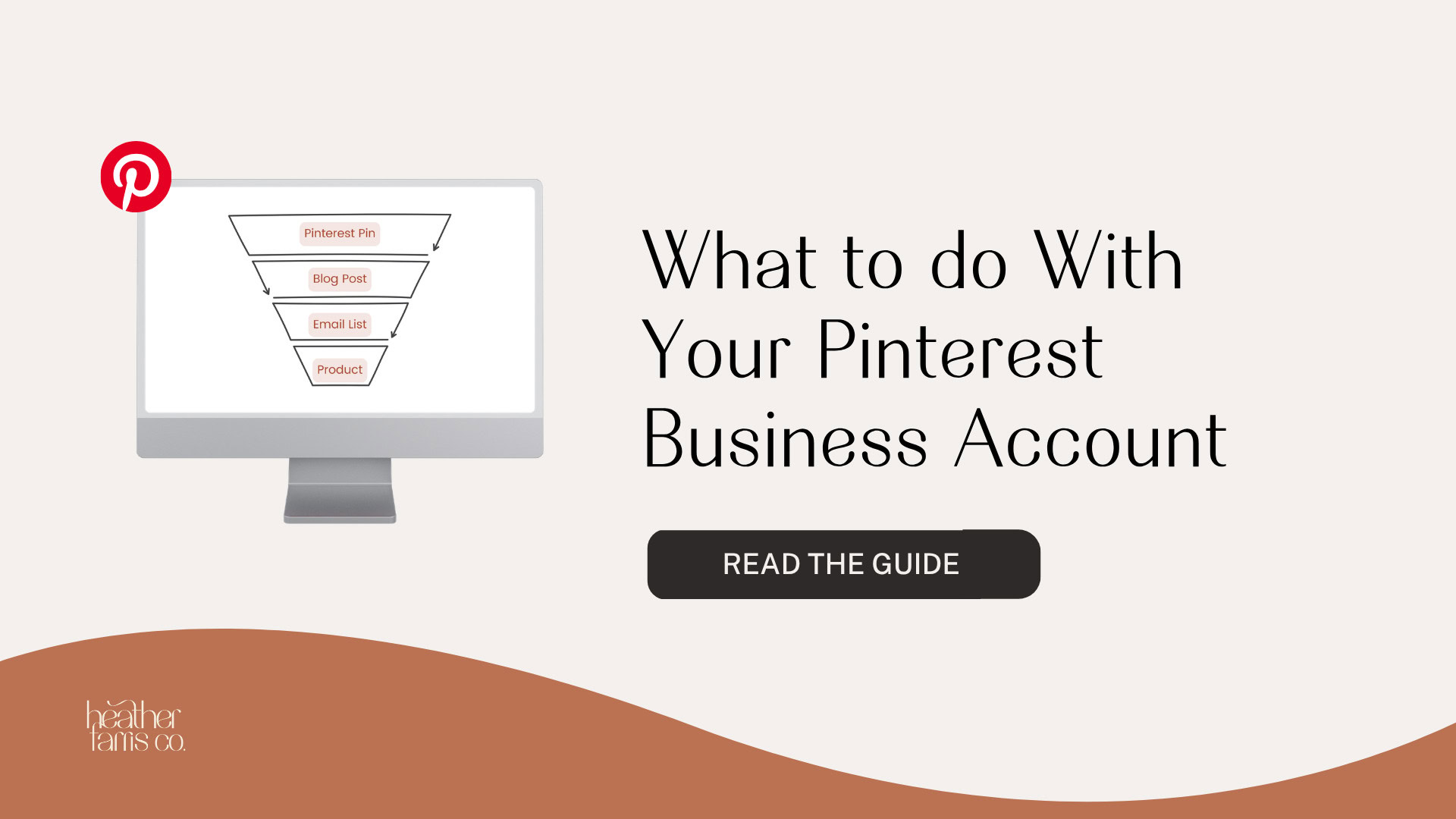
Pinterest is part of a larger marketing system. The destination is usually your website, where people can learn more, join your email list, or buy. The path depends on how your business serves customers, so avoid copying someone else’s account without knowing what theirs is meant to do.
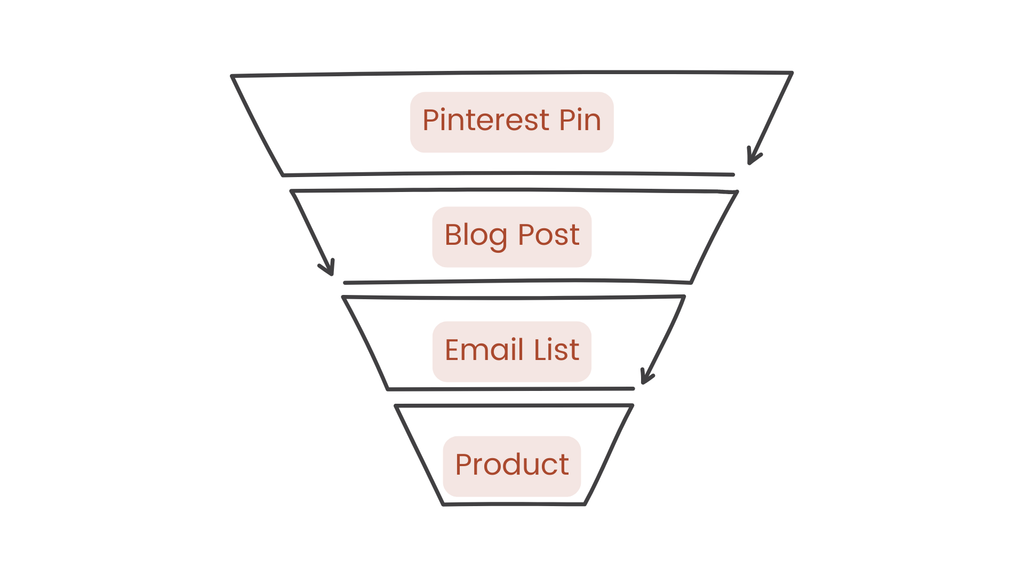
Here are a few possible paths:
- Pinterest pin → Blog post → Email list → Product
- Pinterest pin → Podcast episode → Email list
- Pinterest pin → Blog post → Product
These are examples, not a required funnel. Decide what you already have and where a click should lead.
Connect your website and complete the profile
Once you know where people should go, make sure your Pinterest profile identifies your business clearly. Check the following:
- Claim your website if you own and can verify it.
- Add your business name, recognizable profile photo or logo, and distinguishable username.
- Check that your website URL leads where you want people to go.
- Write a clear, keyword-informed bio with a useful call to action.
- Review the available account connections, including Instagram or an Amazon storefront, if either is relevant to your business.
Do not spend two or three days trying to write a perfect bio. Make it clear and accurate, then move on. You can change it later.
RELATED: How to Start a Pinterest Account
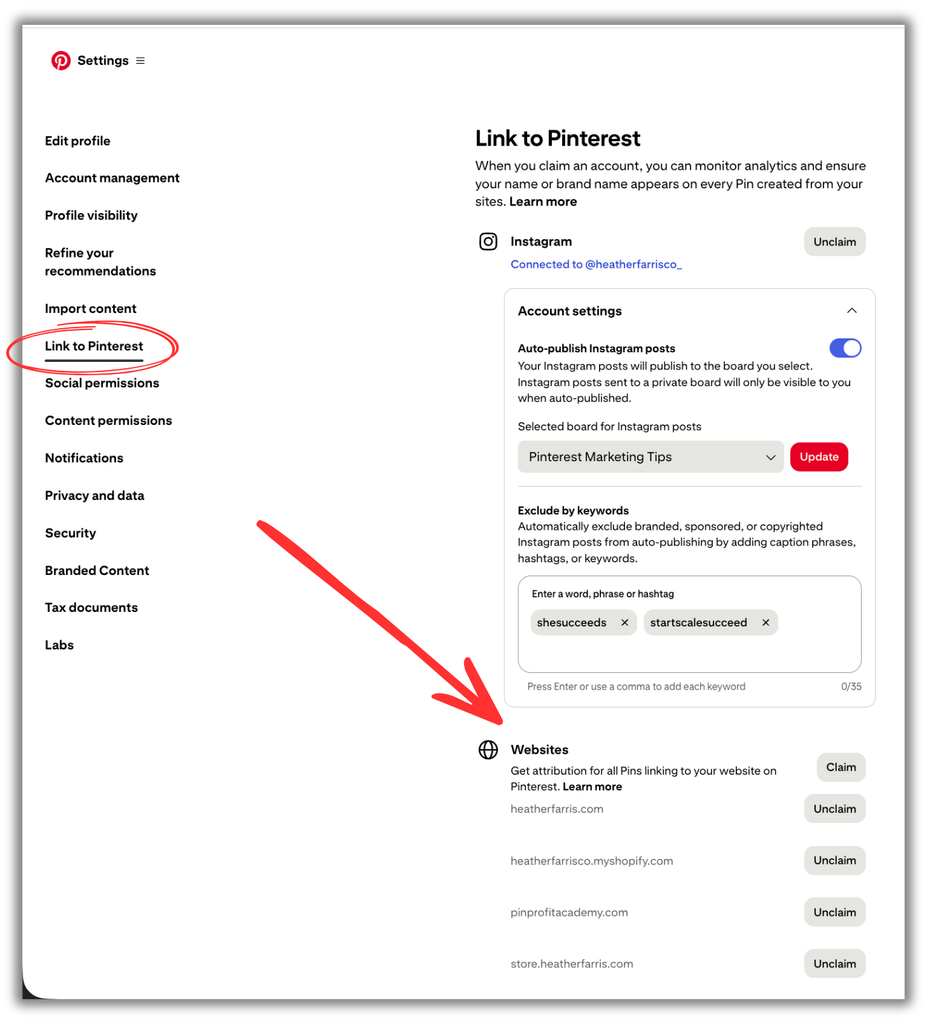
Map the topics your audience searches for
Before making boards or pins, ask which topics you want associated with your business. Start with five to ten core topics. A home organization business might choose kitchen, bathroom, pantry, laundry room, and small space organization.
Then expand each topic into a handful of more specific search phrases. You do not need a massive keyword spreadsheet to start. This basic map gives your boards and individual pins a purpose.
The broader topics can guide your boards; the more specific phrases can guide individual content angles.
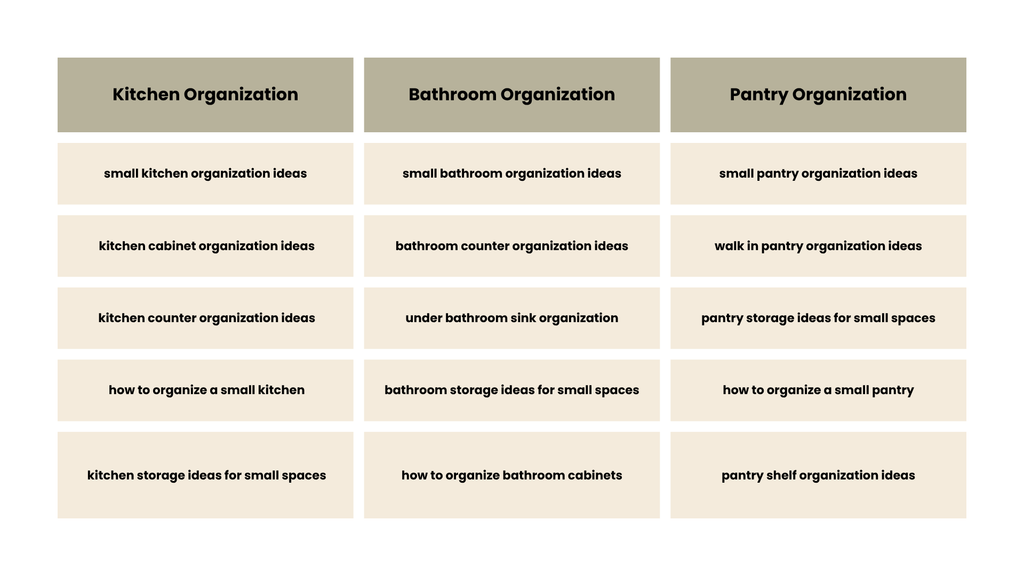
Create boards for the content you will actually publish
Create roughly five to ten relevant boards based on your topics. Each should represent a real content or product category that your business can continue to support. Use clear, specific titles.
For example, “Small Living Room Ideas” is more useful than “Home,” and “Easy Weeknight Dinner Recipes” is clearer than “Recipes.”
You do not need to create thirty boards because someone else told you that you should. Start with the categories your existing or planned content needs.
RELATED: The Ultimate Guide to Create Your Pinterest Board Strategy
Inventory the content you already have
A new Pinterest account does not require an entirely new content library. List the blog posts, product pages, lead magnets, YouTube videos, podcast episodes, evergreen content with a useful destination, and seasonal content you already have.
I use the 3P framework to choose what to promote first:
1. Priority: Is it important to the business right now?
2. Performing: Has it already shown demand on your website or another platform?
3. Promotional: Is it connected to something you are actively selling?
Choose your strongest topics and URLs before you start designing pins.
Make several pins for your strongest URLs
If you have five core URLs and make three different creatives for each, you have fifteen starting pins. Space them over the coming weeks. Change the headline, visual hook, and search angle while keeping the destination relevant.
For one small-pantry article, possible angles are “Small Pantry Organization Ideas,” “How to Organize a Small Pantry,” and “7 Small Pantry Storage Ideas.” One useful page can support several genuinely different ways into the same content.
RELATED: How to Increase Pinterest Pin Clicks With a Strong Keyword Strategy
Choose a publishing workflow you can sustain
If you are a beginner, you can use Pinterest’s native scheduler. Set up templates in Canva or your preferred design software, decide how you will write pin titles and descriptions, and begin with a pace you can maintain.
One pin per day is an example starting pace, not a rule everyone has to follow.
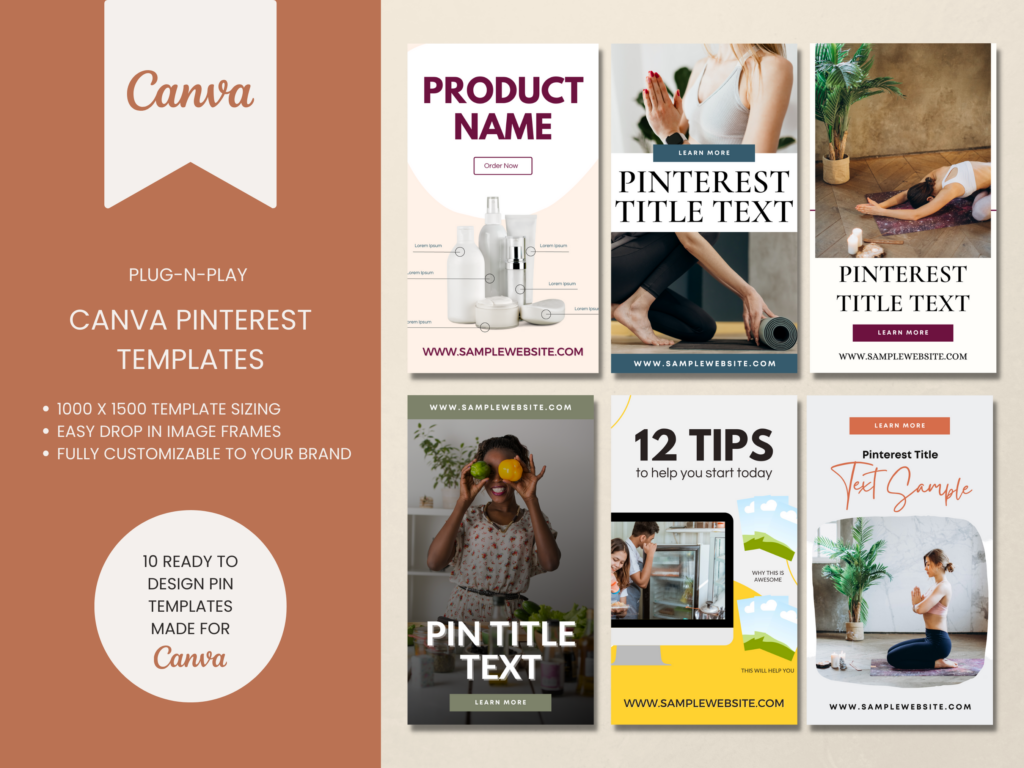
Video or Content Pinterest Templates
If you want traffic don’t rely on something just whipped up! Speed up your pin creation by using templates to get more pins out faster and more often.
These Pinterest templates are great for video content or blog posts & are ready to go. You can start creating pins on Pinterest in minutes.
A simple weekly workflow looks like this:
1. Choose URLs and keyword angles.
2. Create several pin designs and write titles and descriptions.
3. Schedule the pins.
4. Review performance after you have enough content and time to learn from it.
Consistency matters more than chasing a high daily pin number. You do not need to obsess over followers, viral pins, daily impressions, or publishing twenty to thirty pins a day.
Ask whether your topics are clear, your pins match actual searches, and people are starting to save or click.
RELATED: Schedule Your Pins for Free Using the Native Pinterest Scheduler
Give the account time to establish a pattern
I recommend waiting at least ninety days before drawing conclusions from a new account’s analytics. Use that period to publish, let Pinterest index your content, and collect enough data to see which topics and creatives are gaining traction.
Do not work on the account for three weeks and decide that Pinterest cannot work for your business.
Your first month is about the foundation. The next few months are about learning from what happens.
RELATED: What to Do With Your Pinterest Analytics Data
A simple first 30 day Pinterest plan
Week 1: Complete your profile, claim what you own, set your goals, and decide which content formats you will use.
Week 2: Research core topics and create your initial boards with clear titles and descriptions.
Week 3: Inventory your existing content and select priority URLs for your first pin batch.
Week 4: Publish your first pins, keep a sustainable schedule, and plan the next batch.
You are not trying to “win Pinterest” in thirty days. A properly set-up account, clear topics, relevant boards, published content, and a workflow you can repeat are a solid start.
What to do next with your Pinterest business account
By completing these first steps, you will have a business profile that clearly points people to your website, boards built around topics your audience searches for, and a starting set of pins connected to content that matters to your business.
You will also have a publishing routine you can keep up with and a plan to review what is working after your account has had time to gather data.
That foundation gives you somewhere to start. If you want support turning it into a complete Pinterest marketing strategy for your business, join me inside Pin Profit Academy. We can work through your account, content, keywords, and priorities together.
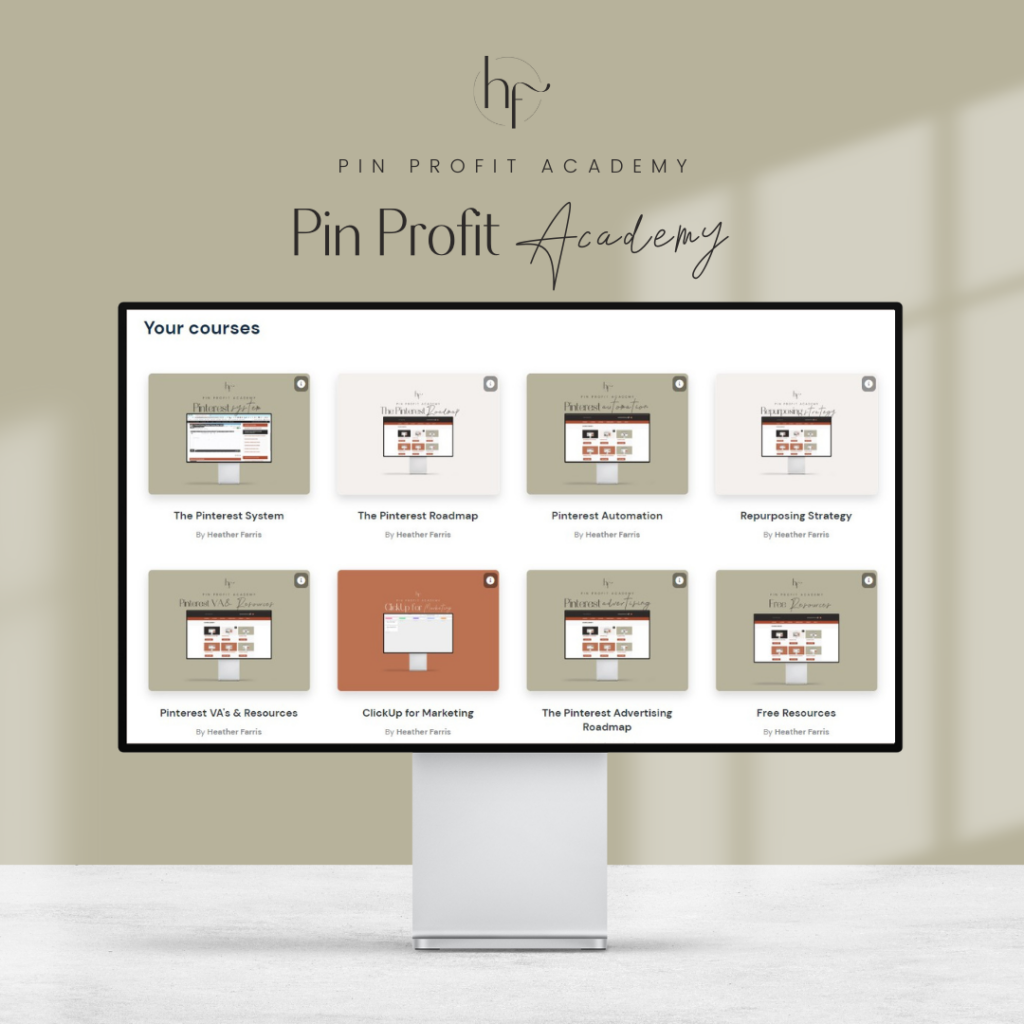
Pin Profit Academy
Marketing can be difficult and trying to figure it out on your own, especially with Pinterest, can be overwhelming.
I will show you how to double your traffic and sales without spending another minute on social media!
PPA is the only comprehensive membership program & community for creating, marketing & selling your products & services using Pinterest.
Pin it for later

Heather Farris went to school for accounting and worked for years in banking and finance. After finding all of that entirely too boring she started her first blog in her basement in August of 2016. She has started 3 blogs in the marketing, motherhood and travel niches and used Pinterest to grow them all. She quickly became the go-to Pinterest strategist in her peer circles and has been implementing strategies, driving traffic and sales through organic and paid tactics for her clients. On this blog and her YouTube channel, as a renowned Pinterest marketing expert, she educates the public about clear and transparent marketing strategies to help them to grow on Pinterest and in other places online. She created Pin Profit Academy and helps small business owners just like you to master their Pinterest marketing strategy. Heather is now a Pinterest Educator, one of the very few sponsored by Pinterest.