How to Audit and Reuse Old Content
If you have a bunch of old content sitting in your content library, and you’re really not sure of what to do with it, like myself, then this video is for you. Today, we’re going to talk about how to audit and reuse old content.
We’ve got to determine whether your content is worth keeping around, and how you can go about updating it, and then re-sharing it, repurposing it, or getting rid of it altogether.
Why auditing and reusing old content matters at all
Because repurposing outdated content just continues to repeat outdated information in more places, we don’t want to do that. Old content is only valuable if it still makes sense in your business, meaning it’s evergreen.
- Still applicable for your current offers.
- Your audience hasn’t changed.
- The topic is still relevant to your business.
My content is primarily about Pinterest marketing and content marketing. And marketing platforms and trends change often. So, obviously, when there’s something that’s out of date, (which I do have some examples of) then we should do something about it.
RELATED: Pinterest 101: How to Do Pinterest Marketing for Beginners
What changes over time with your content
Sometimes it’s not your message at all that has changed, but everything else supporting it within your business.
- The focus of your content may have changed to a new angle.
- Keywords and SEO changes because algorithms constantly update.
- Your offers might have changed because you’ve made them better than at the very beginning.
- Your opinions on certain topics may have changed because you’re growing too.
- The examples that you’re using may be outdated because society and systems evolve.
- Maybe there’s data you use that is actually outdated now because of all of the above.
- The content itself may be good, but the format might be outdated because the systems you use are different.
Sometimes outside factors that affect your business can completely change overnight, or disappear and you have to adapt instantly so you still have value in everything previous.
RELATED: 5 Types of Content Creation You Need to Generate More Sales
The goal while you audit and reuse old content
When you’re auditing to reuse old content, the goal is not to reuse every single thing; that’s exhausting and not likely. But it’s definitely to figure out which pieces still have a strategic value that you could be getting more mileage out of.
When I’m looking at my old content, I’m not actually asking myself, “Can I post this again?” I’m actually asking:
- Is this still accurate?
- Is it in alignment with what I’m offering now?
- Is it still useful now?
- Does it make sense to keep it?”
RELATED: Why You Need a Content Strategy Before You Ever Begin Marketing
When to repurpose your old content
The easiest way to reuse old content is to repurpose it, but you obviously, have some checklists that you’ll use to make sure whether you should repurpose it or not. Some questions are:
- Is this content still accurate?
- Is it aligned with my business and offerings?
- Is it still useful, even if it’s complimentary information for my audience?
If the answer is “yes” to all three of those, then chances are you can go ahead and repurpose it. Use it elsewhere in fresh ways so you’re not starting from scratch constantly. Some repurposing ideas:
- Turn the transcript from a video into a blog post.
- Write a newsletter about it to your list.
- Create an email series or opt-in sequence for it.
- Turn it into a podcast episode. Most podcasters now double-whammy every episode as YouTube channels too. (Remember when podcasts were only rare audio? They’ve repurposed.)
- Turn it into more social media content; there are new ones popping up all the time, while the type of posts on each change too.
Honestly, good ideas really deserve more shelf life, on repeat like a great record. You have different audiences on different platforms. And depending on where they are, they don’t see all your posts everywhere all at once. You can duplicate, refresh, and repost often and the same person won’t even know.
RELATED: How to Repurpose TikToks Videos to Pinterest
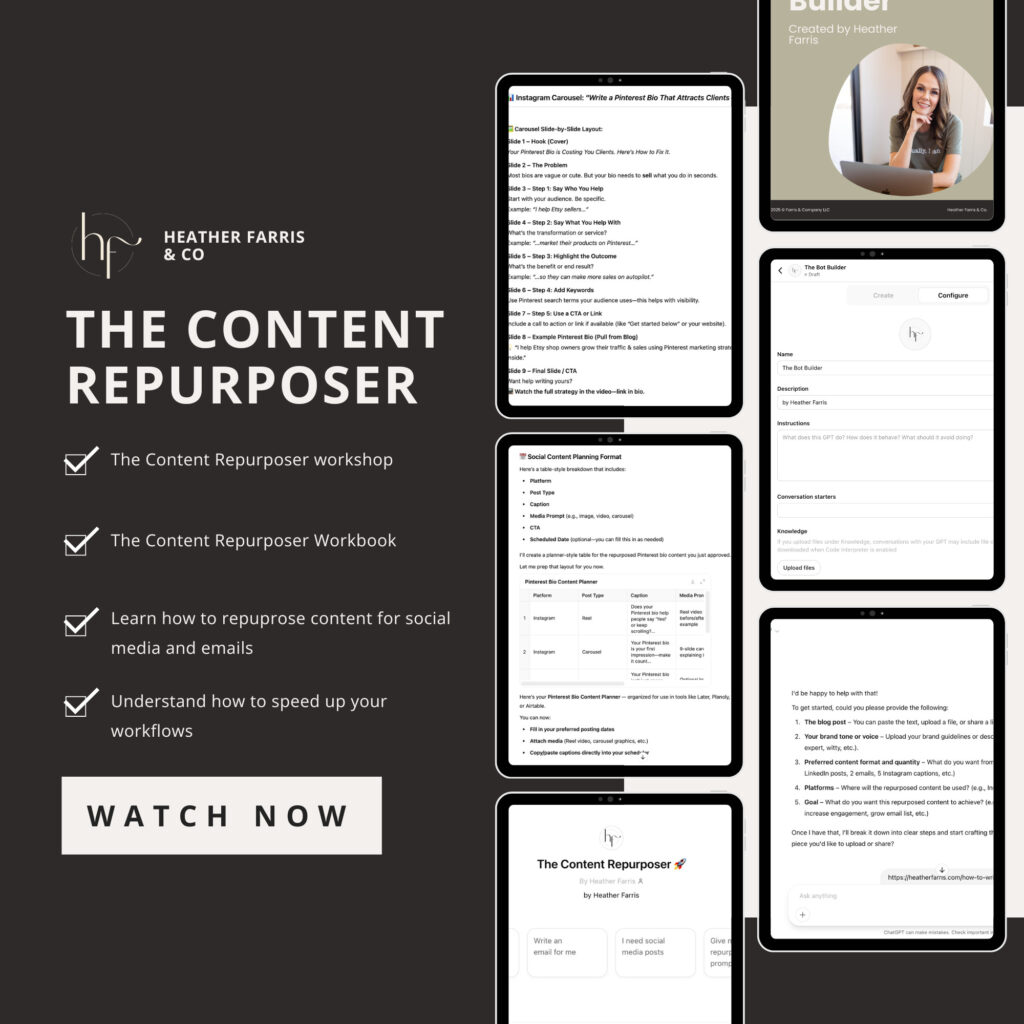
Content Repurposing Chatbot
Turn your long-form content into scroll-stopping posts—without doing it all yourself.
No more rewriting from scratch. No more blank page panic. Just drop in your content and get repurposed posts you can actually use.
When to update your old content
Option number two is to update the content that you currently have, still kind of easy to reuse old content, but it takes some more work. This is something that I do inside of my business all of the time, and my content manager is consistently working on this. It’s never ending, honestly.
Pinterest is always changing. The interface is changing, the tools they offer are changing, the methods in which we are getting and being strategic on the platform are changing. Their own Pinterest Trends and yearly predictions are consistently changing.
As you are making updates to your content, you don’t want to just get rid of a powerful piece of content, even if it’s not quite aligned anymore. Is there any way you can update it and tweak it to match your current offers?
If the potential is there with a piece of content, even if it’s weaker, then update it before you put it into the repurposing pipeline. Does the content still have legs? If it does, and maybe it just needs new figures, information, or examples to make it currently relevant.
RELATED: How to use Pinterest Trends with the New Updates
Using AI tools to assist with updating or reusing old content
No matter what you’re updating or going to recycle somewhere else, you can use AI like ChatGPT or Claude to help you figure things out or keep things straight. I won’t go into all the details or options possible here, but these are some ways you can make this process easier with AI.
- Analyze your content for what is lacking based on current trends or information on the topic. Then insert what’s missing.
- Ask for ideas on how to take one piece of content and use bits of it elsewhere and certain other social platforms.
- Do keyword research and cross reference current SEO results with what your old content is optimized for.
- Upload your traffic data and see what content is engaging where, and what others are lacking. Adjust the lacking pieces with patterns in the more engaging content.
There is really no limit on what you can do to edit, adjust, optimize, reuse old content, and refresh everything you’ve created. Find a preference and create a workflow so you’re implementing something here. You can use my content repurposing Chatbot to help if you want something already tried and true.
RELATED: 5 ChatGPT Prompts For Content Marketing That I Use Every Month
When you need to archive any content
The last option is to archive the piece of content. I have some examples here in this section that I actually need to do myself. All past content I created that basically had anything to do with Idea Pins needs archiving.
Pinterest eliminated them years ago and now, they’re dead and not applicable to marketing on the platform anymore. This isn’t a topic I can just update to something new either. It’s not a fit for current day Pinterest marketing strategy.
RELATED: The Complete Pinterest Marketing Strategy I Tell My Friends
When to Archive Content
This is especially true if you are attracting the wrong audience. If the offer in the piece of content is no longer valid, same reason applies. For me, there were pin templates to Idea pins that were no longer a thing, that I’ve since archived out of my Shopify store. You can’t buy them anymore. It’s got to go.
Idea pins are out the window, the thing itself is gone in my case. It would take more time to fix it than just simply recreate it. So in this case, if you have blog posts or videos, you can archive them and have a redirect for the links explaining why. Or have a big disclaimer there suggesting elsewhere to go that’s more current for the viewer, etc.
RELATED: How to Sell on Pinterest: Full Ecommerce Strategy for Your Shop
When to recreate content from scratch
Sometimes a topic is still good and gets great traffic or engagement, but the asset itself just needs to be rebuilt.
- Maybe your video is old quality and just needs a fresher look.
- The interface or dashboard of the thing you’re discussing is outdated but still works great.
- Your branding has changed and you want things cohesive so your audience isn’t confused.
- There are more things you want to add or a whole new perspective on the same thing you want to share.
- It’s purely evergreen content, but the last publication may appear outdated cuz it’s been a minute.
This is actually something that I do quite often. I will take the same shell of a blog post on my website and actually just gut it, and I will redo it.
RELATED: How to Optimize Your Blog Content for Pinterest Users
Content recreation example from my blog
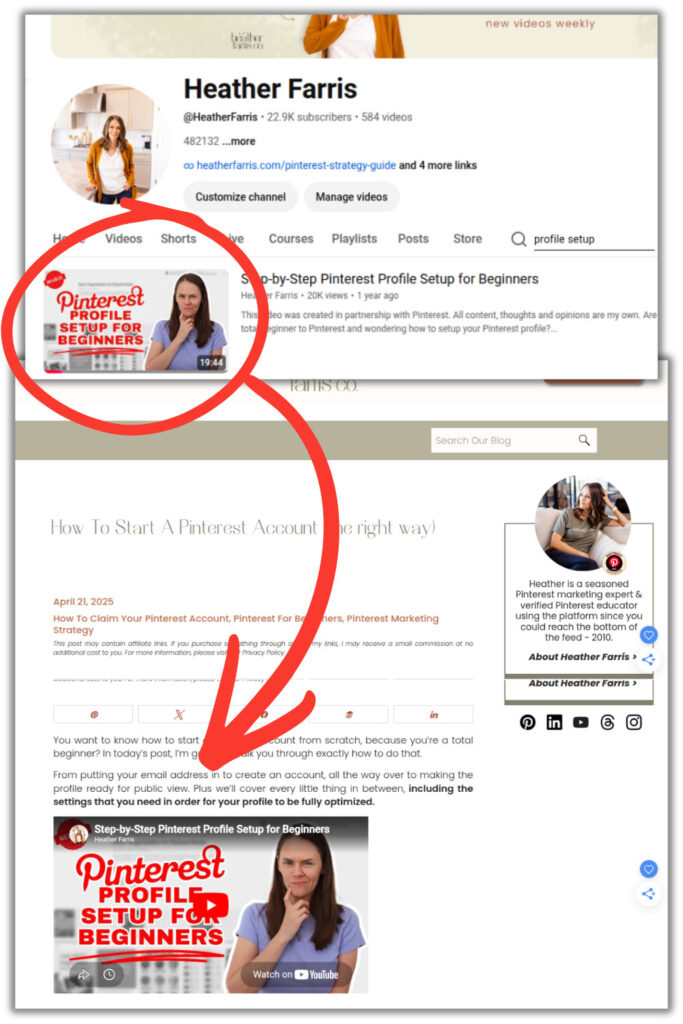
Last year I created a new video on YouTube that was like ‘Step-by-Step Pinterest Profile Setup for Beginners’. I had a previous one that was actually getting traffic, but not very much, maybe 50 to 100 hits a month from Google.
So what I did is I completely re-filmed the YouTube video, using the same keywords that I’d used in the past, plus added new keywords (because SEO is always changing!). I did a refresh on the angle and on all the examples. I made new assets for the whole thing and screenshots because everything looked different.
Then my content manager rewrote the blog post and updated everything there. Now that post is ranking way higher than it was previously and getting us more traffic. In general, Google likes new content, even if it’s an old topic, and we have proof of that here.
Updating is more than just republishing something as new without any technical, new writing, or visual updates.
RELATED: The Ultimate Pinterest Traffic Strategy for Bloggers & E-Commerce Shops
Recreating different types of content
Anything filmed, obviously you have to just reshoot it. But everything else written, or even pin and image designs you’ve saved, you can edit and tweak, recreating as much as needed based on your research and the results you’re seeing.
- Video – refilm or insert/add-on clips to update it
- Blogs/Articles – rewrite entire sections or reoptimize keywords throughout
- Emails – updates the series or delivery messages subscribers read
- Images – tweak the keywords on them, refresh the branding colors and fonts
**Note on published pins: I do NOT recommend deleting old pins as content from Pinterest, in general. You can just move them to a hidden board or archived board. Unless you have started a completely new business, or your message is entirely different than previous, broken links on Pinterest aren’t preferred.
RELATED: 7 Content Marketing Tools For More Traffic & Sales
The audit and reuse checklist in my free resources
To make this easier, I created a walk through checklist of the questions to ask as you audit your content, so it’s clear what you need to do. I put it in my free resource library you can access inside of Pin Profit Academy, with a free account.
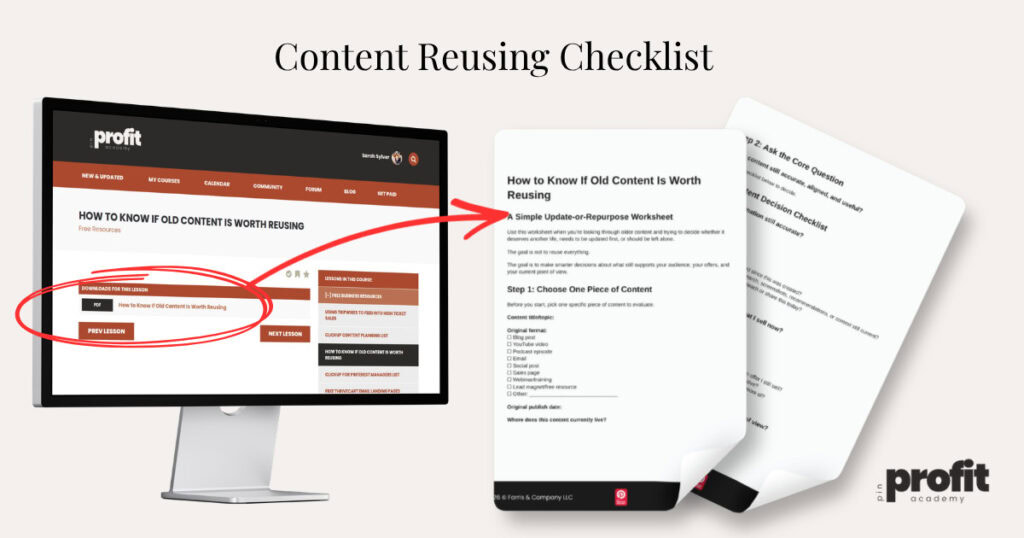
Every question you need to ask about a piece of content is included in there, even based on what type of content it is. As you go through, if most of the answers are “yes”, you’ll know to repurpose. If some of the answers are “no”, I would update it first. And if most or all of the answers are “no”, then I would just archive it and maybe recreate it from scratch, depending.
RELATED: Are Pinterest Marketing Courses Worth the Money?
Final thoughts on how to audit and reuse old content
I hope this has given you some motivation to more regularly audit and reuse old content to make the most of what you create. Your top-tier content is likely buried in your old evergreen stuff, simply waiting for a new angle. When you take the time to audit your content and pick a strategic direction for each piece, you are boosting your search rankings, and staying relevant in a constantly changing marketing world.
This approach will help you avoid the constant grind of starting from zero. Whatever you decide to do with a post or video, you are truly working more efficiently. Successful creators don’t always begin with a blank slate, they extract every bit of value from what they’ve already created.
If you’re still confused about this process or want some more step-by-step guidance, come over to Pin Profit Academy and grab a free account. You’ll get access to my entire Free Resource Library with the Content Reuse Checklist. Let’s make it a little easier for you and I’ll see you inside!

Pin Profit Academy
Marketing can be difficult and trying to figure it out on your own, especially with Pinterest, can be overwhelming.
I will show you how to double your traffic and sales without spending another minute on social media!
PPA is the only comprehensive membership program & community for creating, marketing & selling your products & services using Pinterest.
Pin it for later


Heather Farris went to school for accounting and worked for years in banking and finance. After finding all of that entirely too boring she started her first blog in her basement in August of 2016. She has started 3 blogs in the marketing, motherhood and travel niches and used Pinterest to grow them all. She quickly became the go-to Pinterest strategist in her peer circles and has been implementing strategies, driving traffic and sales through organic and paid tactics for her clients. On this blog and her YouTube channel, as a renowned Pinterest marketing expert, she educates the public about clear and transparent marketing strategies to help them to grow on Pinterest and in other places online. She created Pin Profit Academy and helps small business owners just like you to master their Pinterest marketing strategy. Heather is now a Pinterest Educator, one of the very few sponsored by Pinterest.