


7 Content Marketing Tools For More Traffic & Sales
Not all content marketing tools are created equal. Executing a content marketing strategy that actually drives sales and traffic can be a lot of work. The whole process from brainstorming what content to create all the way to publishing and sharing on social media is a whole process. And the wrong tools can make it a lot more of a headache with only a little bit of gain.
In today’s post, these are the 7 tools I use to execute my content strategy from start to finish. These range in price from free to $20 per month. Not every tool is a monthly fee either. Some of them are one time and others are yearly at a great price. So let’s dig in!
RELATED: Why You Need a Content Strategy Before You Ever Begin Marketing
ClickUp for Project Management
I use ClickUp for my editorial calendar. I brainstorm, plan and track my entire content plan for the year inside of ClickUp.
I used to use Trello but the functionality just wasn’t near where I wanted it to be so I switched. It’s similar to Trello with the use of boards to see all of your tasks. But ClickUp is like Trello on steroids and has so many more options and configurations to make it work for anything.
I pay for ClickUp and you can grab a paid plan starting at $5 per month per user. You can try ClickUp for free to start.

ClickUp Content Management System + Training Videos
These templates are designed to help you brainstorm, produce, and maintain your content systems in a way that keeps you out of the weeds but producing high quality content.
Get a beautifully made set of ClickUp templates that aren’t bare bones and actually help you to get started right away!
Canva for Graphic Design
I love using Canva for graphic design. I loaded my entire brand into Canva including all of my templates and use it for everything from creating free opt-ins to making social media images.
When I’m done creating content I hop into Canva to create my social posts and format my images for my blog posts. My assistant will also use Canva to create the base of my thumbnail before exporting it and making it beautiful in another program.
Canva Pro starts at $15 per month and I couldn’t live without it in my business. Try Canva right here.

The free version is also amazing and I used it for years before needing the Pro plan to add my team to it. We also use my Canva Pro account for all of our agency clients’ pin designs.
RELATED: How to Batch Create Pinterest Pins for a Month Using Canva
Keyword Research Tools for YouTube & Google
For my keyword research tools for YouTube and my blog I use Keywords Everywhere. This tool is just $5/month for 100,000 credits and you just put it in your Chrome extension bar. Click to grab Keywords Everywhere.
This keyword tool tells you the search volume and the competition on the keyword you’re searching for. You can use this tool on Amazon, YouTube & Google. I use it for developing my keyword strategy, and finding additional keywords I want to use in my content, as well as planning for additional content ideas.

RELATED: How to Write a Blog Post Outline With ChatGPT and Keywords Everywhere
Google Docs for Writing My Content
I use Google Docs to write every piece of content from outline to final draft. This allows me to work with my assistant while she lives back in the U.S. while I’m now in Europe.
Plus the autosave feature has saved my tail more times than I’d like to admit. Google Docs is free so why not use it? If you have a Gmail email address, then you already have access to Docs, so check them out!
Video Editing & Creating Thumbnails
My editor uses ProCreate to further edit and design my thumbnails for all my YouTube. This tool is only $13 one time to download on your iPad.

She also uses Premiere Pro for editing my video content. I pay $20 per month for Adobe Creative Cloud so she can use that too. I could never edit my own videos with Premiere Pro so I’m thankful she’s got me covered there.
RELATED: How to Create Video Pins on Pinterest Effortlessly With Canva
My Pinterest System (full content system)
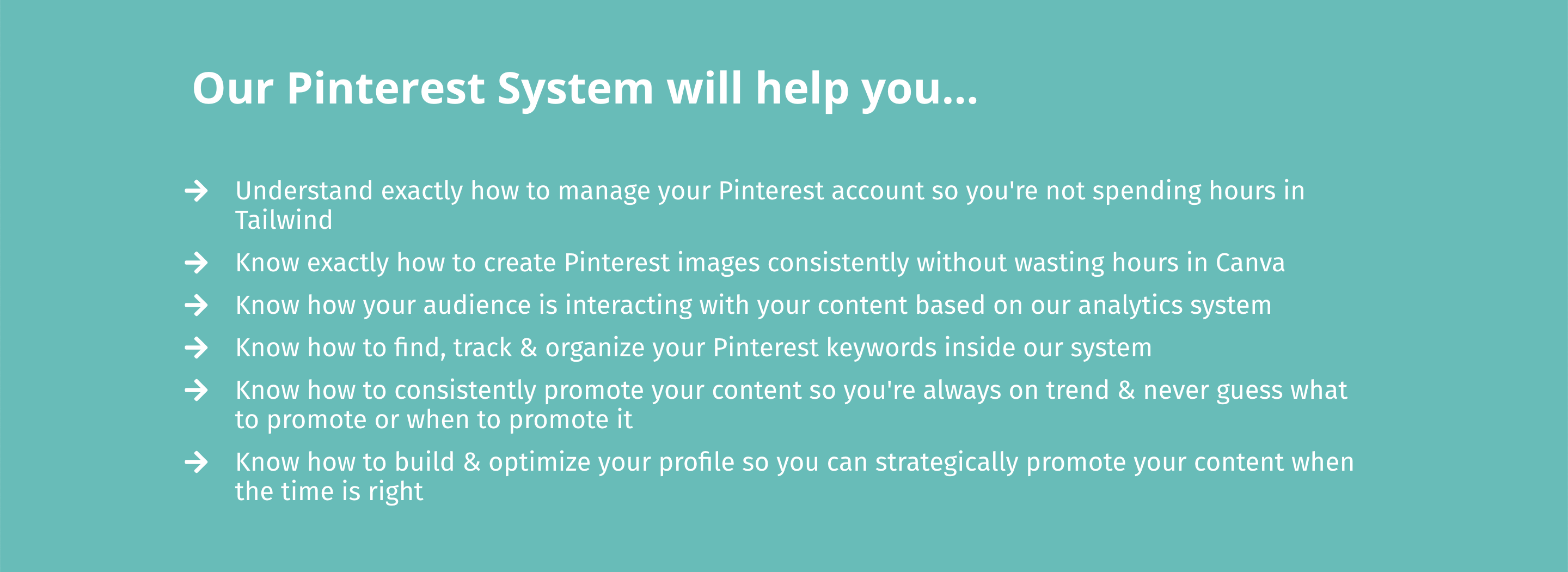
Once my content is live and I’m ready to schedule it for social media, I plug it into my Pinterest System. This is where I track all of my content links, affiliate links, funnel documentation, and analytics. From my blog content all the way to publishing on my Pinterest account.
I created this years ago when I was managing blogs for clients. It’s been a total lifesaver for myself, my clients and students. Over 400 people have purchased this system so far and it’s growing everyday.
Grab my Pinterest System right now for $27, and utilize this great way to take control of your marketing strategy.
Planoly for Instagram & Pinterest Scheduling
I’ve updated my own scheduling tools since I published the video that is at the top of this post, and have since moved on to using Planoly for Instagram and Pinterest scheduling. I don’t use any other platforms since Planoly works great for my needs. It is $14/month and covers all social channels for your brand.

I wrote this article I Tested Pinterest Approved Schedulers So You Don’t Have To where I break down the different scheduling tools you can use for Pinterest. There are many options, so you can find which you prefer.
RELATED: Pinterest Scheduling with Canva and Planoly (My Pinterest System Workflow)
Final Thoughts on Content Marketing Tools
Not all content marketing tools are created equally, and if you’re newer in business there is no need to pay for a lot of tools. These recurring payments can really impact your bottom line if you’re using a lot of them.
I really hate to pay for tools that can’t help me across multiple fronts, or provide the most quality “bang for your buck”. All of these tools I mentioned are multi-purpose and can be used with your team.
Being able to cut costs when I can is important to me so this is what I have landed on and use regularly. I need to be lean and consistent and these content marketing tools make me a happy gal. For more templates, tools, and systems, access my Free Resource Library designed around your content strategy and Pinterest marketing.
Doesn’t matter if you consider yourself a seasoned marketer, e-commerce shop owner, recipe blogger, it’s a great place where a lot of people and content creators have learned best practices from taking the next step. See you inside!
Pin It For Later



Heather Farris went to school for accounting and worked for years in banking and finance. After finding all of that entirely too boring she started her first blog in her basement in August of 2016. She has started 3 blogs in the marketing, motherhood and travel niches and used Pinterest to grow them all. She quickly became the go-to Pinterest strategist in her peer circles and has been implementing strategies, driving traffic and sales through organic and paid tactics for her clients. On this blog and her YouTube channel, as a renowned Pinterest marketing expert, she educates the public about clear and transparent marketing strategies to help them to grow on Pinterest and in other places online. She created Pin Profit Academy and helps small business owners just like you to master their Pinterest marketing strategy. Heather is now a Pinterest Educator, one of the very few sponsored by Pinterest.









