

The Best Pinterest Strategy Hidden on Your Website
The best Pinterest strategy starts on your website. When someone pins an image from your website, Pinterest is pulling whatever information is available to them with the image meta data. And if that information is strong, keyword-rich, and clear in what it is helping the user on the other side to achieve, then that pin has more context and strong optimization for the platform.
However, if it is thin, vague, or missing any of the important information (like a pin title or a pin description), Pinterest really has less to work with. This is why it is really important that you also put your optimized Pinterest pins in your blog posts, and enable people on your website to save them.
When you do this right, other people’s pins automatically strengthen your Pinterest marketing strategy. They become free engagement and organic growth, but only if you have what we’re gonna talk about today all done on your blog. So let’s dig in!
The Best Pinterest Strategy Starts With Your Top Pin Reports
Now, what needs to be in place for this content to actually feed through to Pinterest properly? You need to ensure that you have all of the information in the right places, and it’s doing the thing.
You go to your Pinterest Analytics, and you pull one of your top pin reports, it doesn’t matter which one. It will give you 50 of your top pins and you just want to scroll through to see if any of your top pins say “No pin description”. If you know you’re always inserting pin descriptions on what you schedule, and you’re finding pins with no description, then what’s pinned by others from your website is hurting you and not actually helping you.
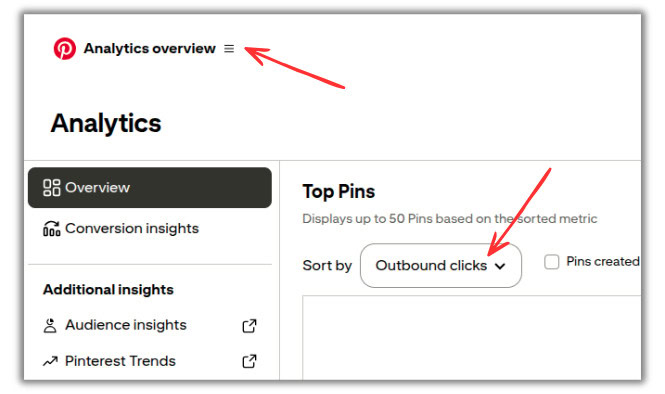
You can create your pins and put them on Pinterest all you want, but if your website is also quietly holding you back, then you might want to see what’s going on and fix it.
RELATED: Pinterest Analytics: A Simple Guide to Read & Analyze Your Data
Pinterest Pin Specifications
Now, the pin images on your website need to be optimized just as if they’re being scheduled right on Pinterest. Make sure they’re all:
- Most often vertical. You can test out square, but it doesn’t work for most.
- Sized 1,000px by 1,500px. You can test out a 9:13 ratio, but it depends.
- Text overlay that is clear and contains your keywords.
- Keyword rich descriptions you’ve specified through your “Pin it” or share buttons.
Depending on your brand and what feedback you get from your audience data, always test different sizes or pin styles in general. But in general, vertical pins sized with the above standard dimensions do best.
RELATED: Why Create Fresh Pins for Pinterest Using Canva
Enabling Rich Pins on Your Site
Rich Pins is an enhanced schema markup that Pinterest can show viewers if you have it setup for your content. It pulls in extra details from your URL and displays them in addition to the description. This is great for blog articles, recipe posts, and product listings. You’ll see prices, ingredients, etc. depending on the pin and how you optimize your content.
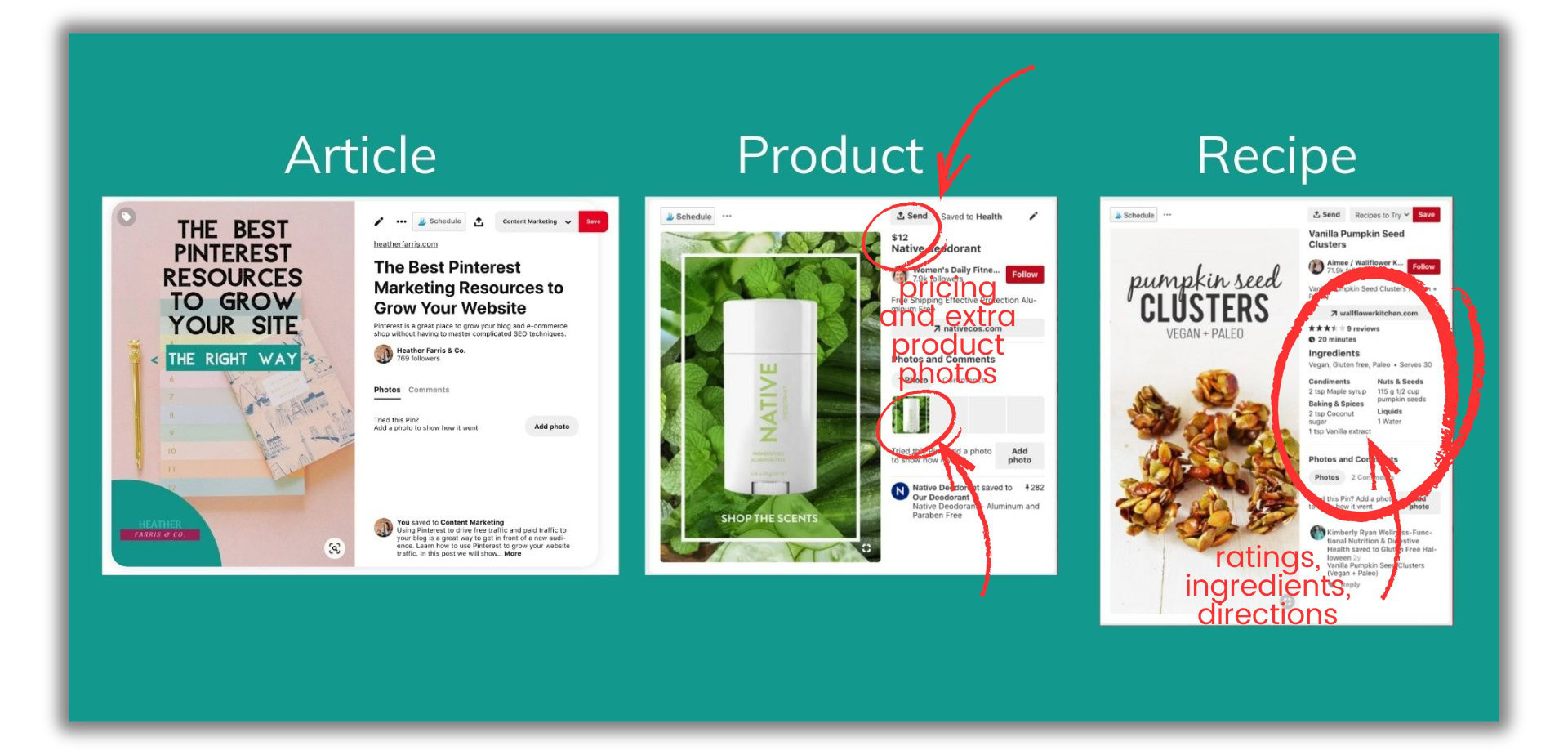
There are a few different ways to set this up. This is easily done for websites like Shopify because it’s automatic. If you have a shop there, make sure this is all enabled in your settings. It is also really easy to do for WordPress websites if you use a plugin like Yoast or Social Warfare.
You can just go into the settings of either and turn a couple of things on and you’re good to go. If you need a walkthrough on how to do that, just visit this post here below.
RELATED: How to Enable Rich Pins for Your Website (WordPress, SquareSpace & Shopify)
Auditing Your Blog Post Images
For sure go back to the blog posts or product listings where you pin reports showed pins without descriptions and missing information. Fix those for sure so the next time around, pinners are grabbing optimized pins.
But when you clearly have other pins or pin-worthy images on a blog, optimize those too, every time. Here is an image below, for example, I have on one of my biggest blog posts that has been pinned, like a mini tutorial image. Optimize images like these too.
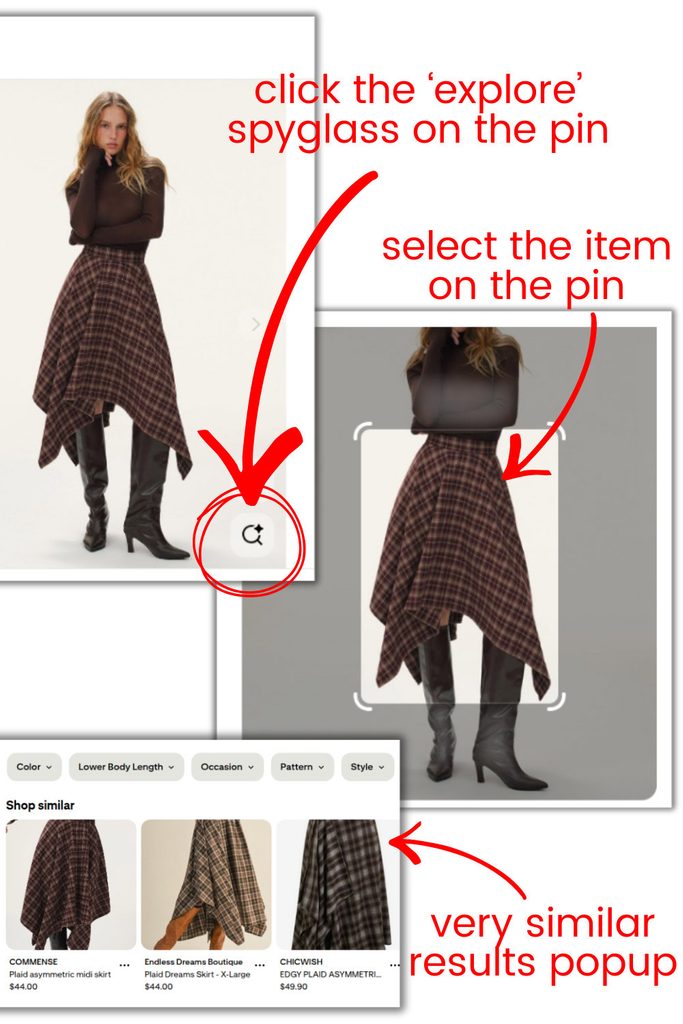
Here’s how to audit your blog posts when they’re published to make sure your sharing buttons or “Pin it” extension is capturing the right information and you’ve included everything you need to.
- Create a private Pinterest board where you can pin whatever you want.
- Scroll through your blog posts and pin images to your private board like a reader.
- Pin images that aren’t specifically created as Pinterest pins, but may be something so rich in information that a reader may pin it anyway.
Then while you look through the pins you just pinned from your own site, make sure you’re reviewing and asking these questions:
- Look at the titles, is it pulling in a strategic pin title for you?
- Look at the description, is it pulling in a strategic pin description for you?
- Is it keyword friendly?
- Is the overall description useful? It’s not just a list of keywords, but maybe it actually explains what people are looking at.
- Is the image vertical and clean?
- If it’s a video pin, is the cover grainy or sharp?
Repeat this process for your top 10 posts or traffic drivers, looking for any errors that you could fix on your website and in those specific pages in those specific blogs.
RELATED: Why You Need to Optimize Your Website for Pinterest
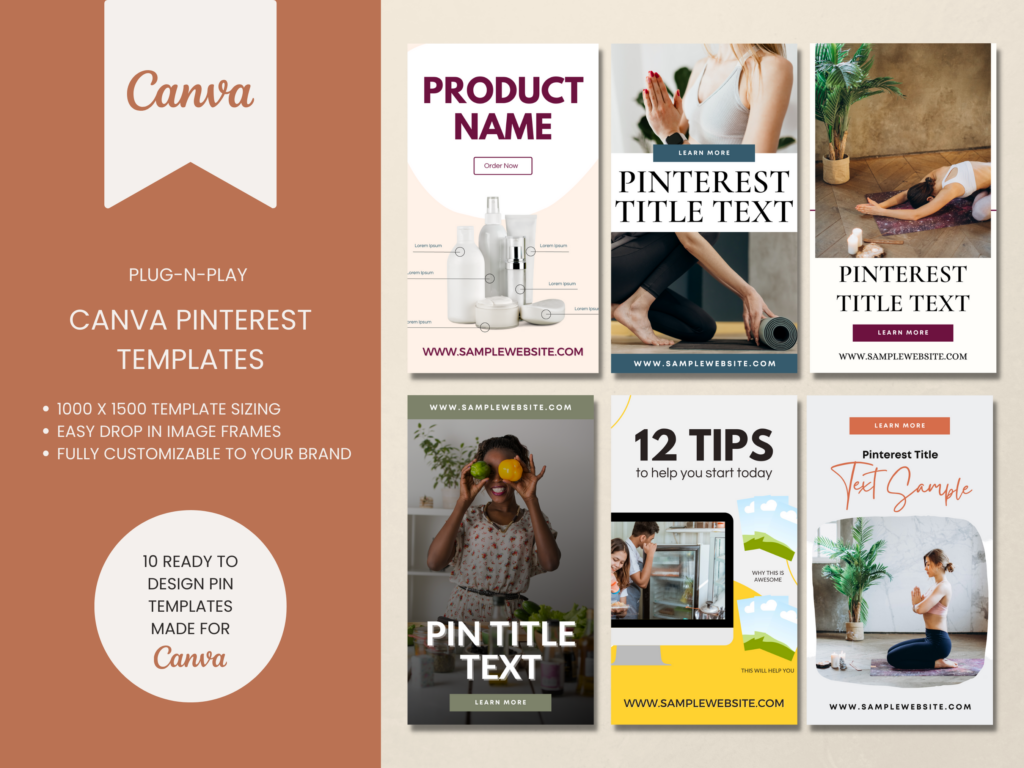
Video or Content Pinterest Templates
If you want traffic don’t rely on something just whipped up! Speed up your pin creation by using templates to get more pins out faster and more often.
These Pinterest templates are great for video content or blog posts & are ready to go. You can start creating pins on Pinterest in minutes.
Priority Pages to Fix First
Now, if you are looking for a quick list of what to fix first, I have it for you. Especially if you’re brand new to optimizing your pin image this way in your blog and shop content, go through these first:
- Pull your Google analytics and clean up your top traffic pages, no matter what type they are.
- Your evergreen landing pages that are always promoted for opt-ins or sales.
- Top pin clickthroughs from your Pinterest Analytics.
- Your seasonal posts that peak during Pinterest Trends times.
- Top pins that have high save rates, also in your Pinterest Analytics.
Then moving forward, have part of your creation and publishing process, optimizing all your pinnable and “possibly going to be pinned” images becomes standard.
RELATED: How to Optimize Your Blog Content for Pinterest Users
Moving Forward With the Best Pinterest Strategy on Your Website
And that’s really it. So going forward, what you really need to do in your workflow is you want to ensure that you are creating content that’s easy for people to save.
- You have Pinterest sharing or “Pin it” buttons embedded on your website.
- You use your Pinterest Analytics for finding top pins and clickthroughs.
- Create optimized pins and enable Rich Pin settings.
- Continuously auditing your website for fixes.
Your Pinterest marketing strategy doesn’t begin on Pinterest itself, it starts right on your website. The best Pinterest strategy starts long before you pin. You must optimize your pinnable images just as much as your pins you publish on Pinterest. When you do, your website audience will help bolster your presence and traffic for free.
If you’re ready to take your Pinterest marketing to the next level join us in Pin Profit Academy. Not only will you have all the systems, techniques and processes provided for you with your content and Pinterest marketing, you’ll receive personalized guidance from me and our community. See you inside!
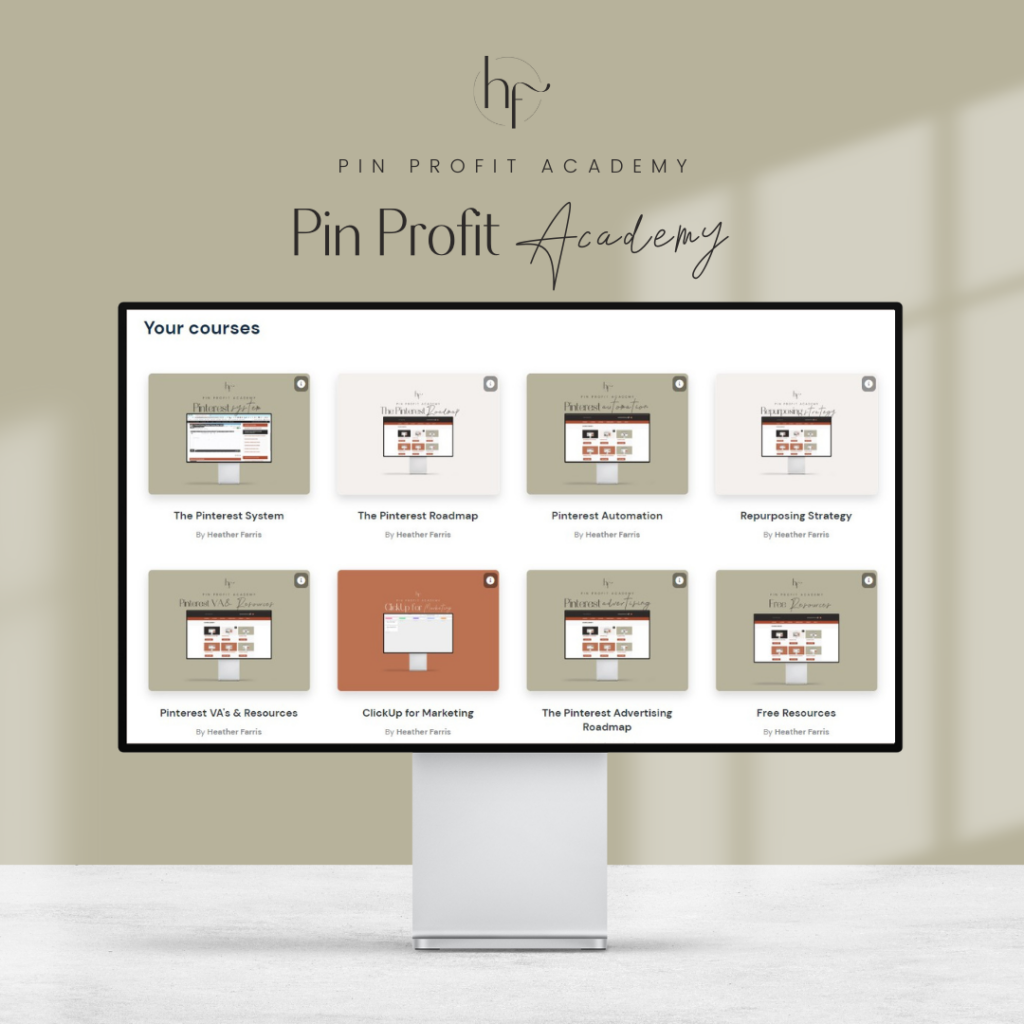
Pin Profit Academy
Marketing can be difficult and trying to figure it out on your own, especially with Pinterest, can be overwhelming.
I will show you how to double your traffic and sales without spending another minute on social media!
PPA is the only comprehensive membership program & community for creating, marketing & selling your products & services using Pinterest.
Pin it for Later

Heather Farris went to school for accounting and worked for years in banking and finance. After finding all of that entirely too boring she started her first blog in her basement in August of 2016. She has started 3 blogs in the marketing, motherhood and travel niches and used Pinterest to grow them all. She quickly became the go-to Pinterest strategist in her peer circles and has been implementing strategies, driving traffic and sales through organic and paid tactics for her clients. On this blog and her YouTube channel, as a renowned Pinterest marketing expert, she educates the public about clear and transparent marketing strategies to help them to grow on Pinterest and in other places online. She created Pin Profit Academy and helps small business owners just like you to master their Pinterest marketing strategy. Heather is now a Pinterest Educator, one of the very few sponsored by Pinterest.