


Pinterest 101: How to Do Pinterest Marketing for Beginners
Pinterest is a great place to build an audience and drive traffic to your website or e-commerce store. But if you’re brand new to the platform, you’ll find it’s very different from anything else. So let’s cover Pinterest marketing for beginners so you know what to do, how to start, and the vital aspects to make the best of it for your small business.
I’ve been using Pinterest for over a decade since you could still literally scroll to the bottom of the feed. I’ll break it down in the simplest terms so you don’t have to guess! Here we go.
Getting started with Pinterest marketing for beginners
I get the “Where do I start?” question often, and today I will cover this question in today’s post. This is going to be a very high-level overview, but very specific to what’s most important. These are the six key steps to Pinterest marketing for beginners.
- Setup an Optimized Profile
- How to do Keyword Research
- Master Your Content Planning
- Write Great Pin Titles and Descriptions
- Create and Schedule Your Pinterest Images
- Review Your Data and Results
Key note here, Pinterest is not social media. It is a search engine that functions best with long-term evergreen content, like YouTube does. What you create may take time to gain traction, but when you do this right, it can produce results from 6 months ahead to a few years beyond that first original pin.
RELATED: The Complete Pinterest Marketing Strategy I Tell My Friends
Step 1. Setting up an Optimized Profile
You may be wondering, what is an optimized profile? The first step to an optimized profile is having a really nice display name and bio filled out on your profile. You need to use keywords in your display name and your bio to attract your audience, and I’ll show you how to find great keywords in just a second.
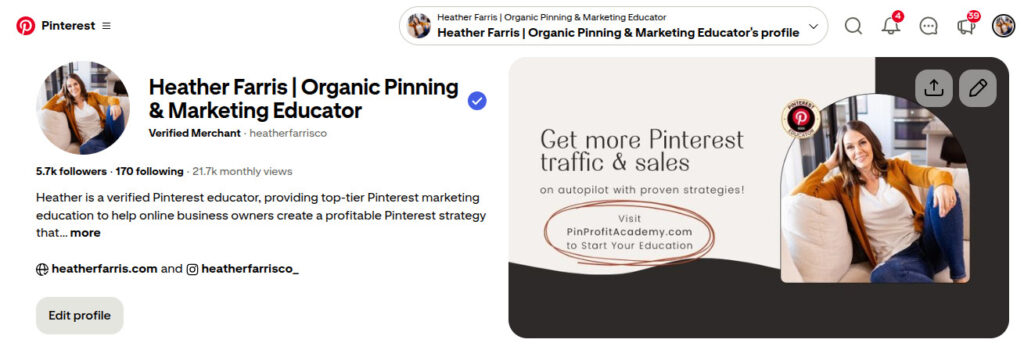
The next step to having an optimized profile is to also have optimized boards. Your boards are where your pins live, and you need to have them optimized to attract your ideal audience as well. Boards play a major role in how Pinterest categorizes and distributes your content and people often overlook boards too much. Use the same keyword research to optimize your profile and boards, which is what I’ll explain next.
RELATED: The Ultimate Guide to Create Your Pinterest Board Strategy
Step 2. Always do keyword research
If you haven’t done keyword research, you obviously cannot have anything optimized. No marketing strategy in any search engine ignores keywords; this is vital. You need to research in the Pinterest search bar, you can use AI tools like my Pin Bot, the Pinterest ads manager, and even with Pinterest Trends.
Essentially, you will take these keywords and use them to create an optimized profile, as well as optimized content with everything you publish on Pinterest. If you learn anything today, this is the foundation of Pinterest marketing for beginners. You’ll apply your keywords everywhere:
- Profile name
- Profile description
- Board titles
- Board descriptions
- Pin titles
- Pin text overlay
- Pin descriptions
RELATED: Pinterest SEO Strategies: Ultimate Guide to Boost Traffic

Evergreen Keyword Workshop
Find Your Audience on Pinterest
Kickstart your Pinterest growth in less time with a 60-minute workshop that shows you how to find and connect with your ideal audience on Pinterest.
Join the Free WorkshopStep 3. Effective content planning
Without knowing what content you’re going to be pinning, you can’t create pins. Pinterest marketing for beginners starts at having a content strategy, or pins and boards can’t build off of anything.
Great Pinterest users are inherently planners. They are planning for things to happen in their lives (and for their customers), sometimes up to a year in advance, depending on the event, like a wedding or babies, life changes. But they are also planning for other events like seasonal things, Christmas, 4th of July, or Easter, even a few months in advance.
So really, make sure that you are doing your content planning and publishing in advance of what you are targeting. This is on top of your regular evergreen content that can but published at any time. Pinterest circulates and serves up pins that have been active at least 90 days in advance of when they hit lots of trending activity and high volume in searches.
RELATED: How to use Pinterest Trends with the New Updates
Step 4. How to write great pin titles and descriptions
Without those keywords in step 2, you cannot write pin titles or pin descriptions that will put your pins in front of your audience. So this is the next step. With an optimized image for your pin, Pinterest can now read the text overlay on your pin. So your keywords need to be directly on your pin as well.
As your ideal audience is searching for your content, Pinterest users are not looking for an exact brand of Nike shoes, but they are looking for great all terrain running shoes, or cute back to school tennis shoes. 97% of searches on Pinterest are unbranded, which is why this platform is so great for E-commerce and small sellers.
Keep that in mind when you are doing your keyword research, users are searching for the experience, the ideas they’re exploring and the results. Your brand name is not best in the pin titles or descriptions really at all. The benefits, results, and experience your content provides is best.
RELATED: The Truth About Pinterest Keywords for Pins and Boards
Step 5. Create and pin your Pinterest images
You know the places where you can use your Pinterest keywords. Now you are going to use those keywords and actually create Pinterest images and then get them scheduled. It’s not always obvious how to make pins and publish them, so this is of course important for Pinterest marketing for beginners.
You can use Canva to easily create pins without any design experience. They have thousands of templates you can customize and make your own to match your content, all for free. You can sometimes repurpose reels into video pins, or Instagram posts into pin carousels too.
You can use the Pinterest native scheduler absolutely free up to 30 days in advance, or other schedulers like Tailwind work great too. Have a process and system in place to streamline this on a regular basis you can stick to. Have a spreadsheet or my Pinterest System to keep things organized and on track.
RELATED: I Tested Pinterest Approved Schedulers So You Don’t Have To

The Pinterest System
Speed up your client management processes and personal Pinterest marketing strategy with every content workflow and tracking system you need.
Track and manage your content, links, data analytics, keyword research and more! No more wasted time in your product or service business because you’ll have everything you need.
Part 6. Review your data and results
Once you have learned how to create your pins and how to schedule your pins, you are then going to start learning how to run your analytics and create your analytic reports for yourself. Even with Pinterest marketing for beginners, this is vital. You cannot call yourself a marketer if you don’t review and understand and use your data.
Yes, you need to track things. Yes, it is good to do this in some sort of spreadsheet or google doc. If you don’t want to figure it out from scratch, you can use my Pinterest System. Because this platform is very trend-based and timely over long term curves of months of the year, you need to look at and start picking up on trends. And also know how your content fits best into those Pinterest trends.
If you’re literally starting from zero, brand new profile and all, come back after 90 days, then you can start seeing data accumulate. Then pivot and adjust to what you’re seeing. It will take a full year to get a more accurate picture in order to plan ahead, but just start.
RELATED: Pinterest Analytics: What to Do With Your Pinterest Data
Final thoughts on Pinterest marketing for beginners
Those are the first steps to your Pinterest 101 journey in learning Pinterest marketing for beginners. If you learned something and this blog post helped you out, do let me know in the comments below. Pinterest is unique, kinda weird at first, but very rewarding when you master how to market your small business with it. But this is just that, the beginning.
If you’d like further support on everything you need for your Pinterest marketing strategy, consider joining us in Pin Profit Academy. After doing this for a decade, Pinterest has changed a few times over. So I have created every template, process, system, and workflow needed to find success on Pinterest, no matter if you’re a shop owner, blogger, creator, or other small business owner looking to expand.
There is something here for you. Happy pinning!

Pin Profit Academy
Marketing can be difficult and trying to figure it out on your own, especially with Pinterest, can be overwhelming.
I will show you how to double your traffic and sales without spending another minute on social media!
PPA is the only comprehensive membership program & community for creating, marketing & selling your products & services using Pinterest.
Pin it for later

Heather Farris went to school for accounting and worked for years in banking and finance. After finding all of that entirely too boring she started her first blog in her basement in August of 2016. She has started 3 blogs in the marketing, motherhood and travel niches and used Pinterest to grow them all. She quickly became the go-to Pinterest strategist in her peer circles and has been implementing strategies, driving traffic and sales through organic and paid tactics for her clients. On this blog and her YouTube channel, as a renowned Pinterest marketing expert, she educates the public about clear and transparent marketing strategies to help them to grow on Pinterest and in other places online. She created Pin Profit Academy and helps small business owners just like you to master their Pinterest marketing strategy. Heather is now a Pinterest Educator, one of the very few sponsored by Pinterest.









As a beginner, I was overwhelmed by seeing many sites on Pinterest. Your blog gave a complete solution for Pinterest marketing.
That’s great! LMK if I can help you further.