

The Pinterest Trends Tool Just Got Better
The Pinterest Trends tool has received a major update, and they have all sorts of new bells and whistles. Many new things that you can use to craft and strategize how to reach your audience on Pinterest this year.
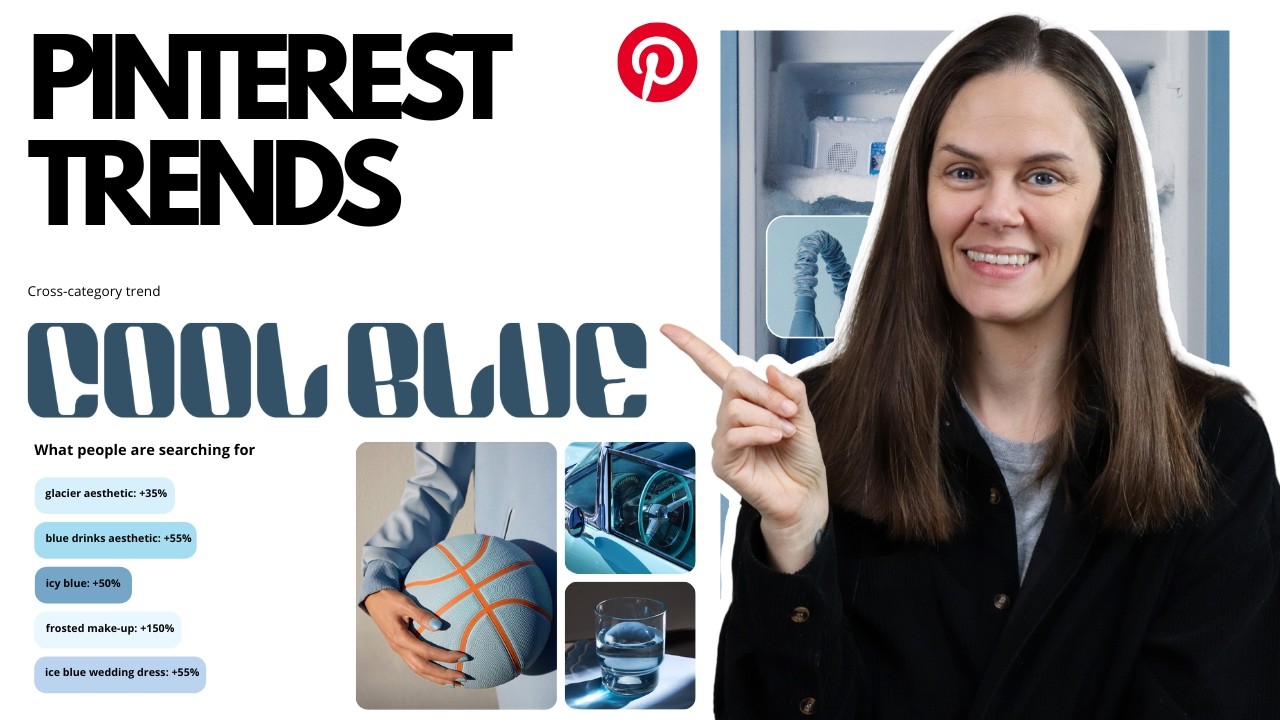
Pinterest Trends is completely free, and you don’t need to pay any other third-party in order to utilize Pinterest keywords, trends, analyzing where you’re getting traction with your audience, what your audience is clicking on, etc. There is so much in there.
In today’s post, let’s dive into the Pinterest Trends tool, some of these new updates, and how you can use them in your marketing strategies this year.
RELATED: The Complete Pinterest Marketing Strategy I Tell My Friends
Accessing the Pinterest Trends Dashboard
Inside the Pinterest Trends tool dashboard, it’s going to default to the United States. Remember, the majority of Pinterest users are located in the United States. So, you probably have a US-based audience. But can adjust the region accordingly.
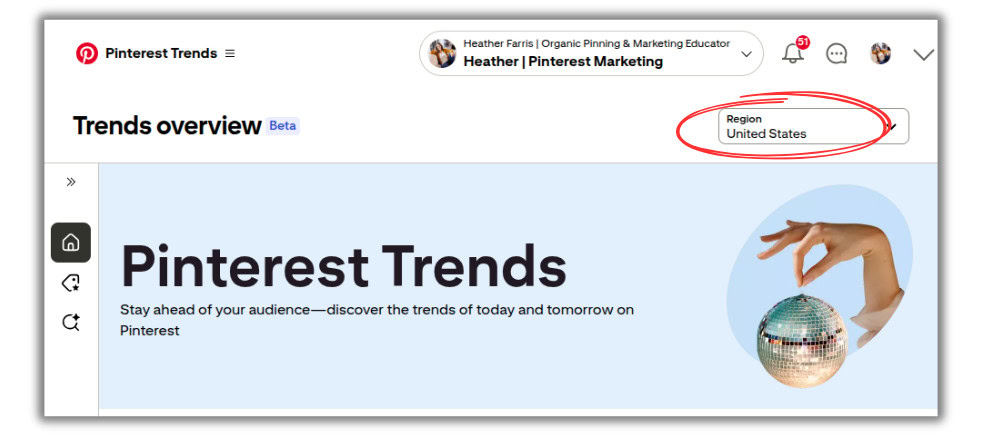
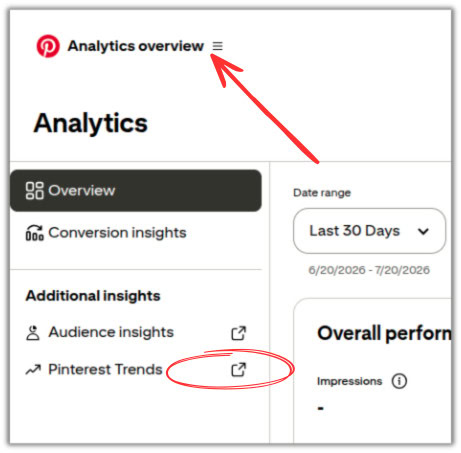
Now, if you’re a Pinterest manager and you’re logging in through the Employee dashboard or the Business Manager access, you do need to access the Trends tool through the Analytics Overview. You’ve got to use your client’s trend data that’s tailored to their content.
In the left hand menu, click out to your client’s Pinterest Trends data. This is pulled in and customized based on your client’s account (or yours from your own account). So, the content that you’re going to see there is based on that specific audience.
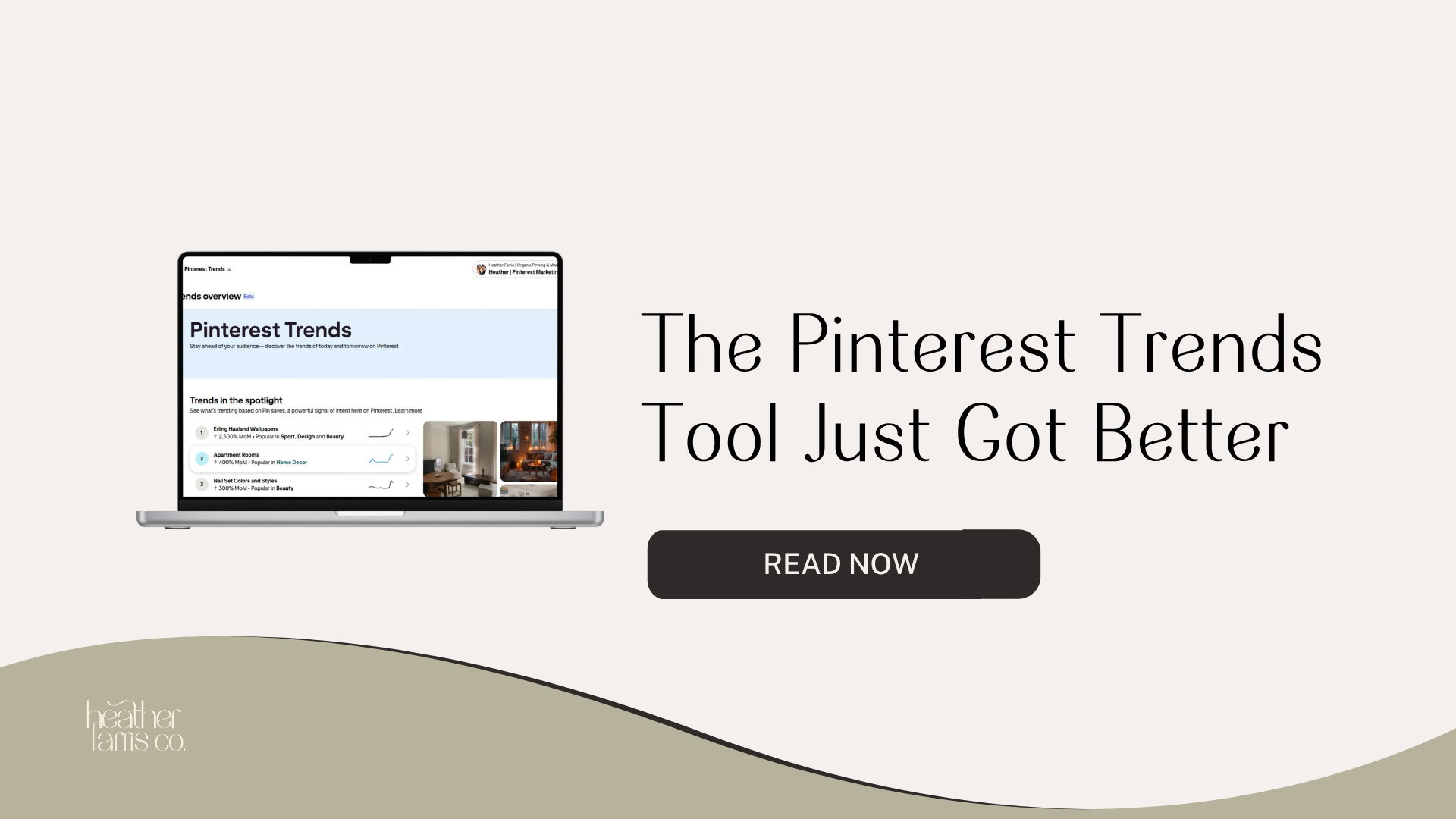
Exploring all Trends Overview
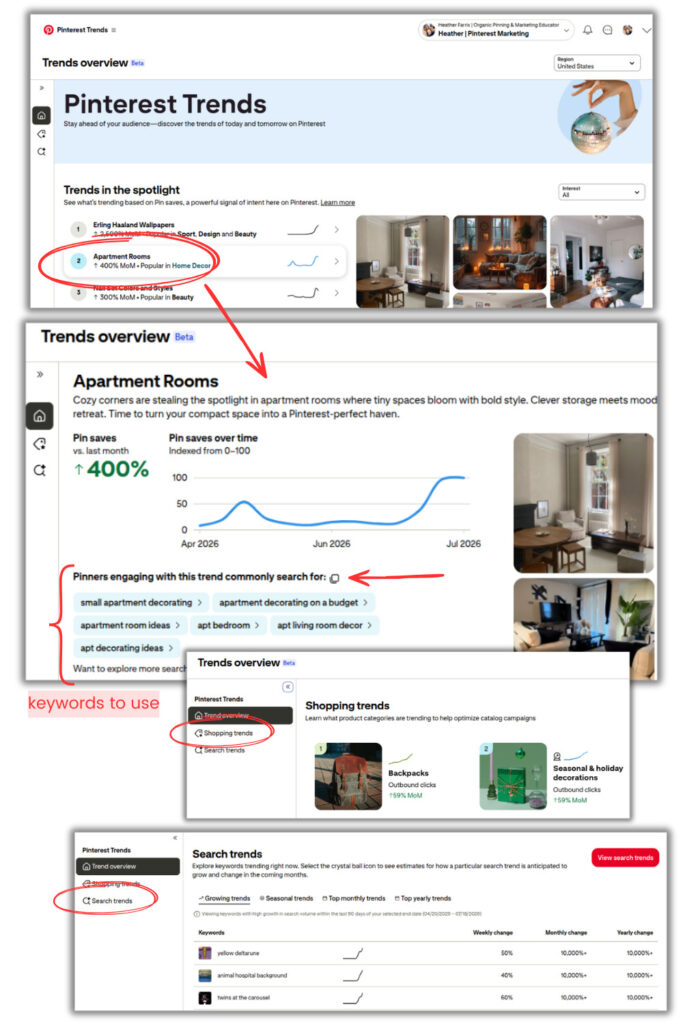
It starts with showing you trending content from your audience that may or may not align with your niche, but is heavily active. You can click on any one of them, and it will open up more information and data to tell you many saves there are this month versus last month.
But the best part is it’s going to give you a list of keywords right below that you can quickly copy and paste to wherever. So you can use them in writing pin copy to optimize your content, or even create new boards.
Now, if you scroll down slightly, it’s going to give you Shopping trends that are trending at the moment, as well as trending Search. And if you click on any of those, it will open up the main screen, which is the same as if you accessed them from the left hand menu.
You’ll be able to explore:
- Top trending products
- Key metrics for those products and search terms
- Performance over time
- Demographics attached to anything
- Related keywords for everything
RELATED: 6 Places to Use Keywords to Optimize Your Pinterest Profile
Search Trends with Seasonal Moments
A great update that Pinterest just added a few weeks ago is they added Moments into the Trends tool. The Moments data are seasonal topics that your audience is going to engage with across niches. It’s pooling all the major seasonal and holiday trends that can be applied to almost anything for you. Before, we had to manually search for this, now it’s just right here.
If you click on any of these, let’s say Halloween, it’s going to give you an expected peak date of when that trend will peak, based on previous years’ data. It tells you when to plan, pin, and when to expect numbers to adjust.
When you view the Moments data from the ‘Search Trends’ in the left menu, there is so much more data. You can filter based on your niche or ‘Interest’ and the holiday. Say you do hair and makeup tutorials, there is currently an emerging trend for Halloween around ‘cow makeup’ styles. Who knew? (Pinterest does!)
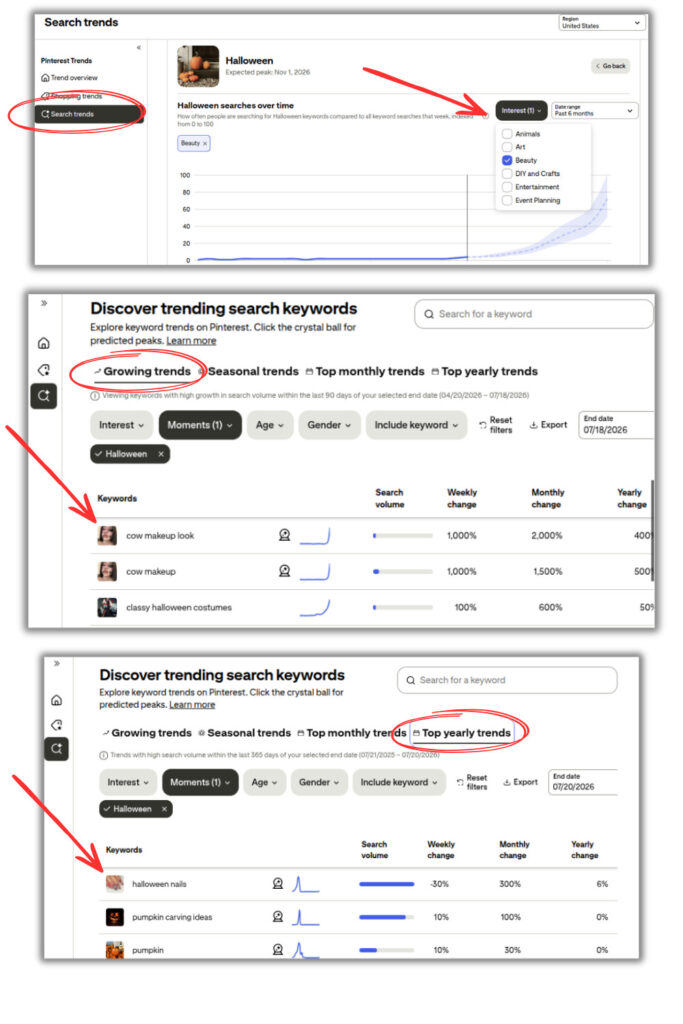
So you can filter through all different keywords and interests based on the upcoming seasonal things, and tailor what you find to your own content. Not only emerging new trends, but the regularly expected seasonal ones to incorporate too. Grab all of the keywords down below, and timing your content to match the uptick.
RELATED: 10 Ways to Drive Traffic With the Pinterest Holiday Season
Using Trends in Your Business Strategy
Now, how do you use this in your own business? If you see a trend or a moment that’s coming in the future, then you can be planning for it. In general, planning and pinning 90 days in advance of said moment is key.
You obviously have the rest of September and all of October to plan for Halloween, but by that time Pinners have already moved on to Thanksgiving. Pinners are planners, and if you jump on a trend shortly before it peaks, your content isn’t going to get traction in the feed.
You want to be working these keywords into everywhere applicable with your content.
- Pin titles
- Pin text overlay
- Pin descriptions
- In the content they click through to see
RELATED: The Truth About Pinterest Keywords for Pins and Boards
Audit Your Content Library for Pinterest Trends
The way that you can fully utilize this is by planning your content strategy in the coming months. You can first audit your own content library and see what you have in it that connects with an upcoming trend or seasonal moment. If you don’t have anything that lines up with any of these trends, now is the chance to create it, keeping it relevant and valuable for your audience.
Now, on the flip side, it gives you the opportunity to refresh your existing content on your website, or products in your shop, for a new season.
- Add new imagery with the trend
- Create fresh pins on top of old designs
- Post new blogs with the trending content
- Refresh the product listings with better keywords
So not only does it give you the opportunity to plan new content, but it gives you the opportunity to revitalize old content and reimagine what that looks like this year for this year’s Pinterest trends and give it more life.
RELATED: Why Create Fresh Pins for Pinterest Using Canva
Editor’s Picks and Pinterest Predicts
Now, I want to show you a couple more things on the Trends Overview screen too. If you scroll down, there is a section called ‘Editor’s Picks’. This is Pinterest in-house and editors. There is a team that actually hand selects trends based on the Pinterest Predicts report for the year.
It’s based on the analytics of what’s happening on the platform, in the moment, as well as what’s happening in the world. The editor’s picks give you some inspiration for what you could be incorporating into your brand, as long as it fits. Think highly suggestible content and trends that are predicted to be in the Predicts trends in the coming year.
If they do make sense for you, and you see that they are an editor’s pick, then that’s a pretty good sign that you could create some content on that and it has big potential to do well. Because when Pinterest does editor pick content, they actually select pins on the platform to put on those featured boards.
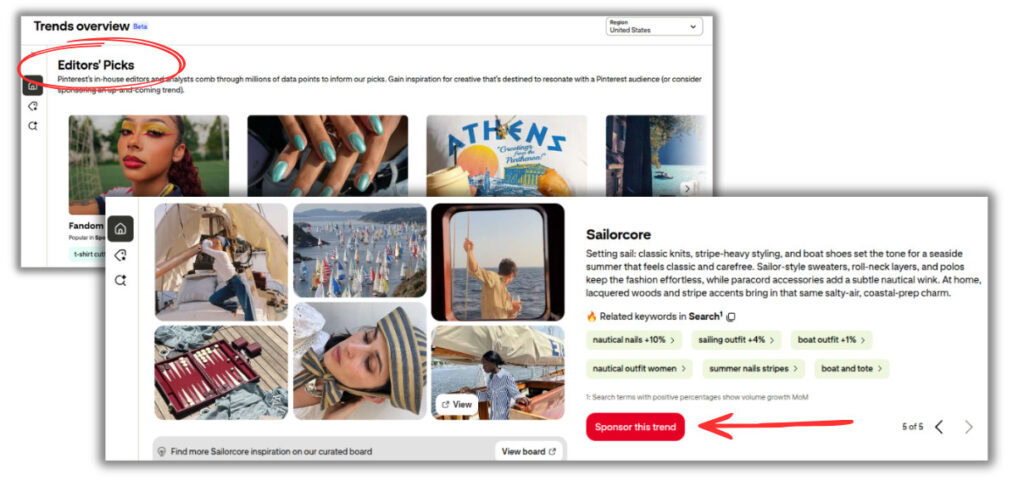
They also let brands sponsor that trend, by clicking the red button at the button to ‘Sponsor this Trend’. Then you get the opportunity to create pins with a specific template, tagged with a little ‘Pinterest Trends’ thing, especially if they’re used for ads. I have seen those heavily in ads.
RELATED: Pinterest Predicts 2026: Must Have Marketing Plan Trends
Final Thoughts on the Pinterest Trends Tool
The Pinterest Trends Tool is designed to give you a competitive advantage by showing you exactly what your audience is searching for, and when they’re searching for it. By…
- planning your content strategy in advance,
- integrating these keywords across your website and pins, and
- taking the time to revitalize your existing content,
… you’re setting yourself up to reach more people and drive better results on Pinterest. It is completely free, and it provides the insights you need to make informed decisions about your content calendar. Whether you’re just starting out or you’ve been pinning for years, the Trends Tool should be a central part of how you approach Pinterest marketing.
If you’re ready to take your Pinterest strategy to the next level and want personalized guidance on how to implement these tactics for your specific business, consider joining Pin Profit Academy. The membership gives you access to in-depth training, community support, and ongoing resources to help you maximize your Pinterest marketing efforts. We’d love to see you inside!
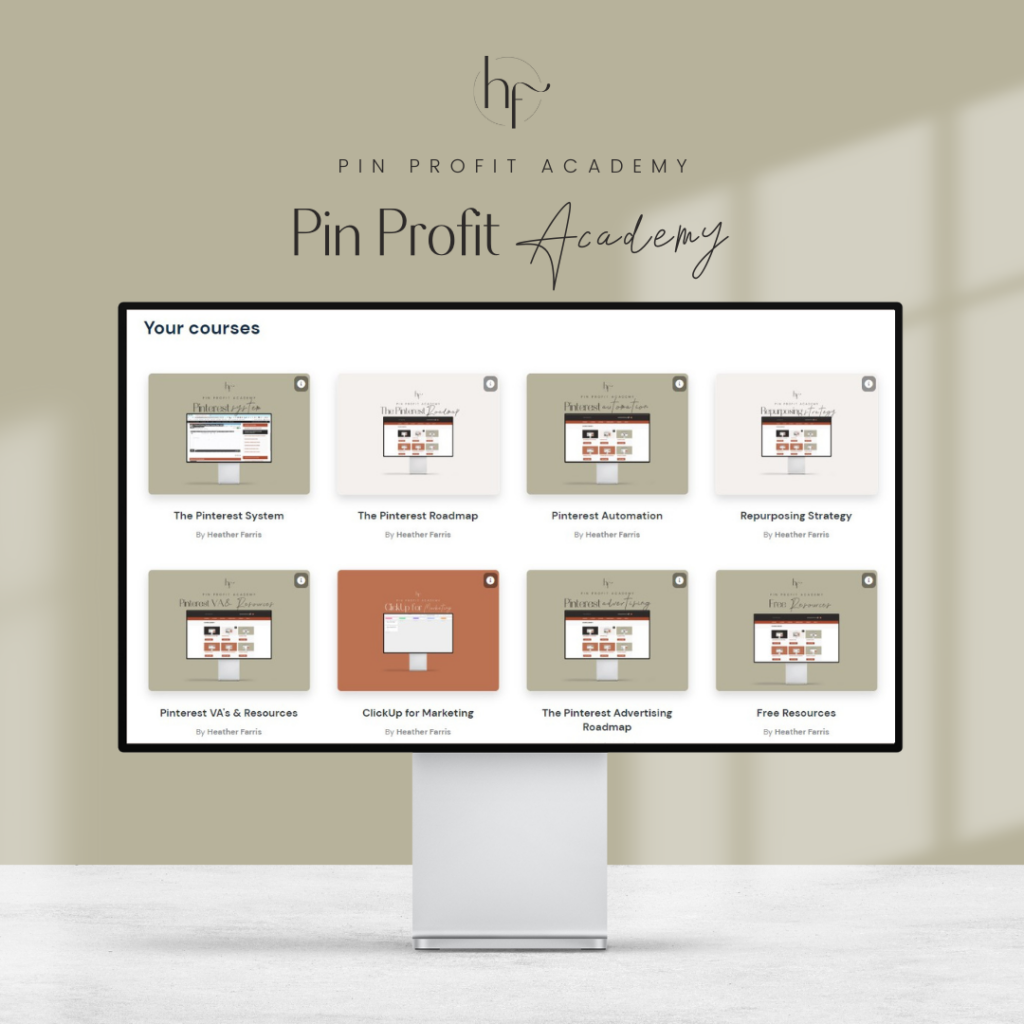
Pin Profit Academy
Marketing can be difficult and trying to figure it out on your own, especially with Pinterest, can be overwhelming.
I will show you how to double your traffic and sales without spending another minute on social media!
PPA is the only comprehensive membership program & community for creating, marketing & selling your products & services using Pinterest.
Pin it for later

Heather Farris went to school for accounting and worked for years in banking and finance. After finding all of that entirely too boring she started her first blog in her basement in August of 2016. She has started 3 blogs in the marketing, motherhood and travel niches and used Pinterest to grow them all. She quickly became the go-to Pinterest strategist in her peer circles and has been implementing strategies, driving traffic and sales through organic and paid tactics for her clients. On this blog and her YouTube channel, as a renowned Pinterest marketing expert, she educates the public about clear and transparent marketing strategies to help them to grow on Pinterest and in other places online. She created Pin Profit Academy and helps small business owners just like you to master their Pinterest marketing strategy. Heather is now a Pinterest Educator, one of the very few sponsored by Pinterest.