When & How to File a Copyright Claim on Pinterest
So it happened… You’re scrolling Pinterest and you find a Pin that belongs to you, but it’s not directing to your content, or channels? You should definitely submit a copyright claim on Pinterest.
Maybe you panic a little bit. Maybe you get angry. You might even want to apply to the copyright claim portal and upload your content there to take appropriate action. We’ll be talking about how to do this in today’s blog post, because it happened to me.
When to File a Copyright Claim on Pinterest
This isn’t an exhaustive list, but it is a start of what you may find with your content being stolen and used as Pinterest pins.
- Your content was taken from somewhere, published to Pinterest and not linked to anywhere.
- Your content was taken from somewhere, published to Pinterest, and linked to your website, but you didn’t do it yourself.
- Your content was taken from Pinterest, and either of the previous examples were done to it.
- Your content was used in the creation of pins, linking to a strange domain that doesn’t have the authority to use those images/videos.
- Full blogs are stolen and posted elsewhere, with your embedded pins linking to them (this has happened to myself and clients).
- Your work is being used for commercial purposes without a license.
RELATED: How Often Can You Pin the Same URL to Pinterest Without Being Spammy?
When Not to Submit a Copyright Claim on Pinterest
This is obviously up to you and you’re the last line of defense for filing a copyright claim on Pinterest or not with your content. So take these with a grain of salt, but these are generally when I wouldn’t file a claim.
- Proper attribution is given: Whether in the article or page it is linked to, credit is directly called out to you. Obviously you can revoke authorization at any time, but if they are doing their best to cite you as the original owner of the work then it might not be necessary.
- Improper profile, but correct domain: If someone re-pins your content to their board, I have seen before a minor occurrence where Pinterest shows a different profile link, but then it links correctly to your domain.
- Manual pinning without a link: Someone is pinning your content to their boards for personal use, but the link is missing because they download/uploaded manually. But it’s usually meant to still save ideas, not steal content. (You can claim this in the copyright portal to enforce attribution, while allowing the image to remain on the platform. You can just what are appropriate circumstances or not.)
RELATED: Pinterest 101: How to Use Pinterest Marketing for Beginners
Example of Copyright Infringement
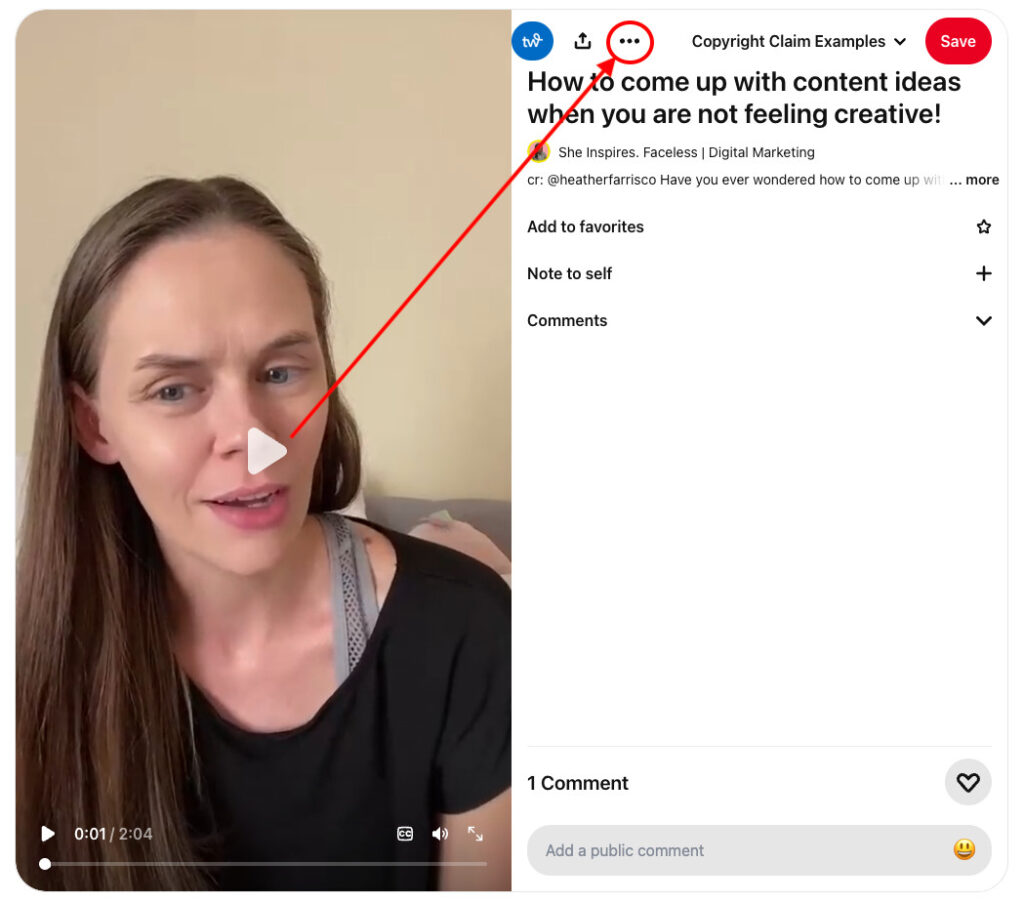
This is my TikTok video that was downloaded using a 3rd party tool so my TikTok profile watermark didn’t show up. Then it was uploaded to Pinterest with no links back to my video. They could have easily linked it to the TikTok video or saved the video to Pinterest from TikTok but they chose not to. They chose to steal the intellectual property rights of others.
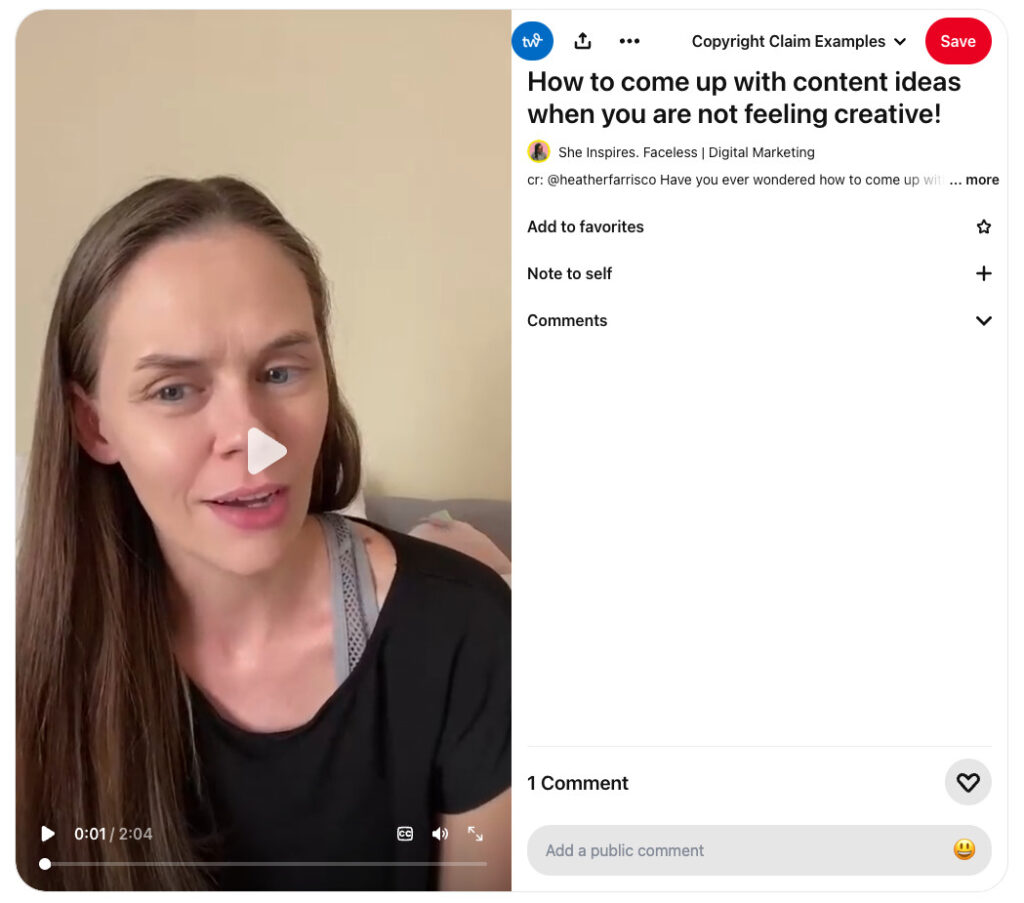
Instead they are using my video to generate views on their profile, as if it’s their content, in an attempt to pervert the algorithm to show their audience more of their content. This is copyright infringement. No one is allowed to use your content without your explicit permission commercially, or even for their own social media channels and blog content.
How to File a Copyright Claim on Pinterest
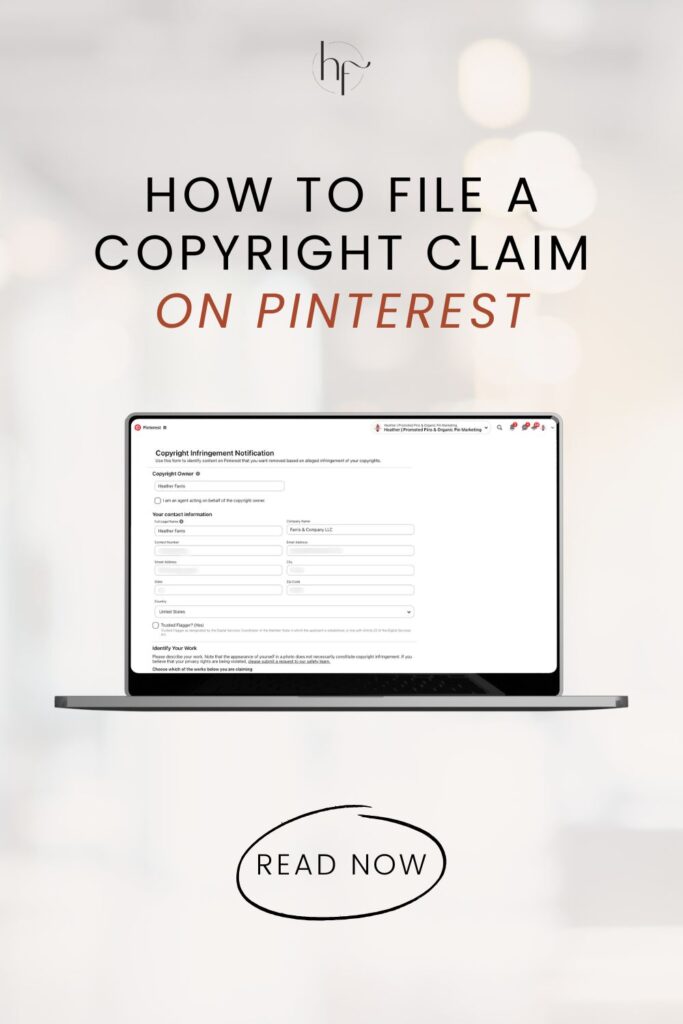
Upon this discovery, I figured out how to file a copyright claim on Pinterest so you can do the same if you’re ever in this situation. First thing, find the pin and locate the 3 dots on the pin and click it, then select ‘Report Pin.’
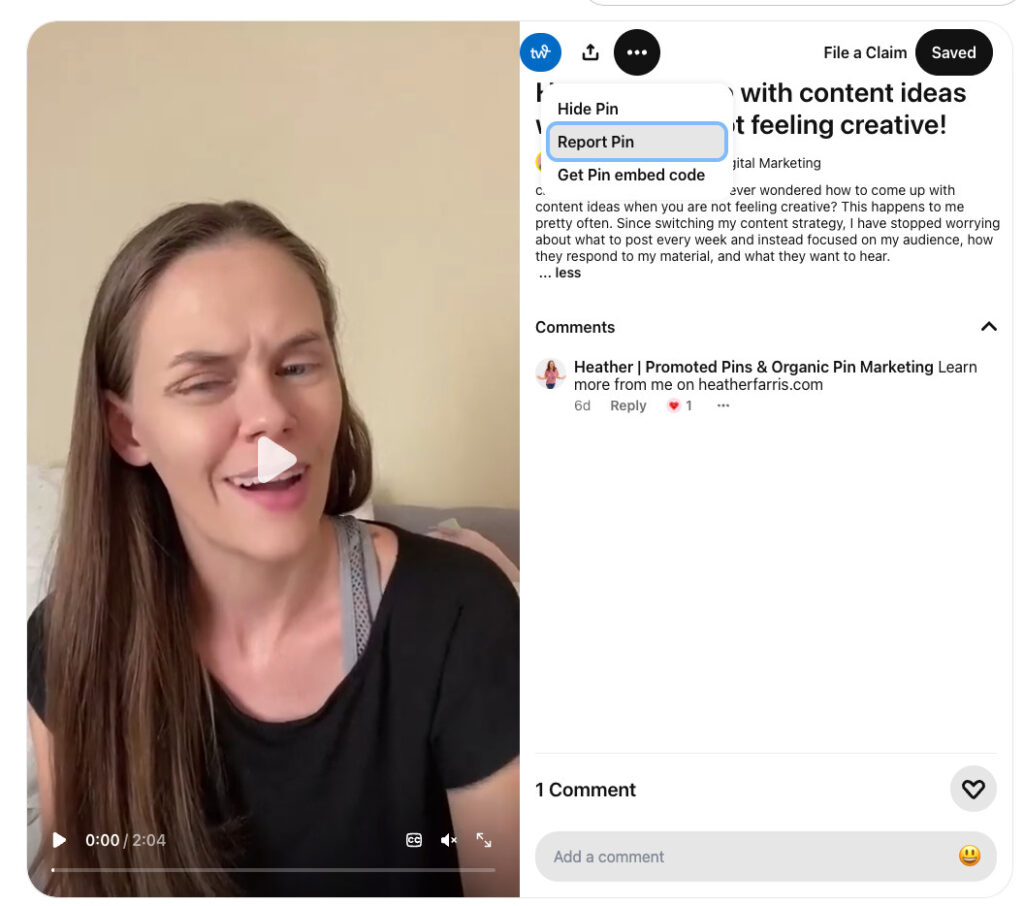
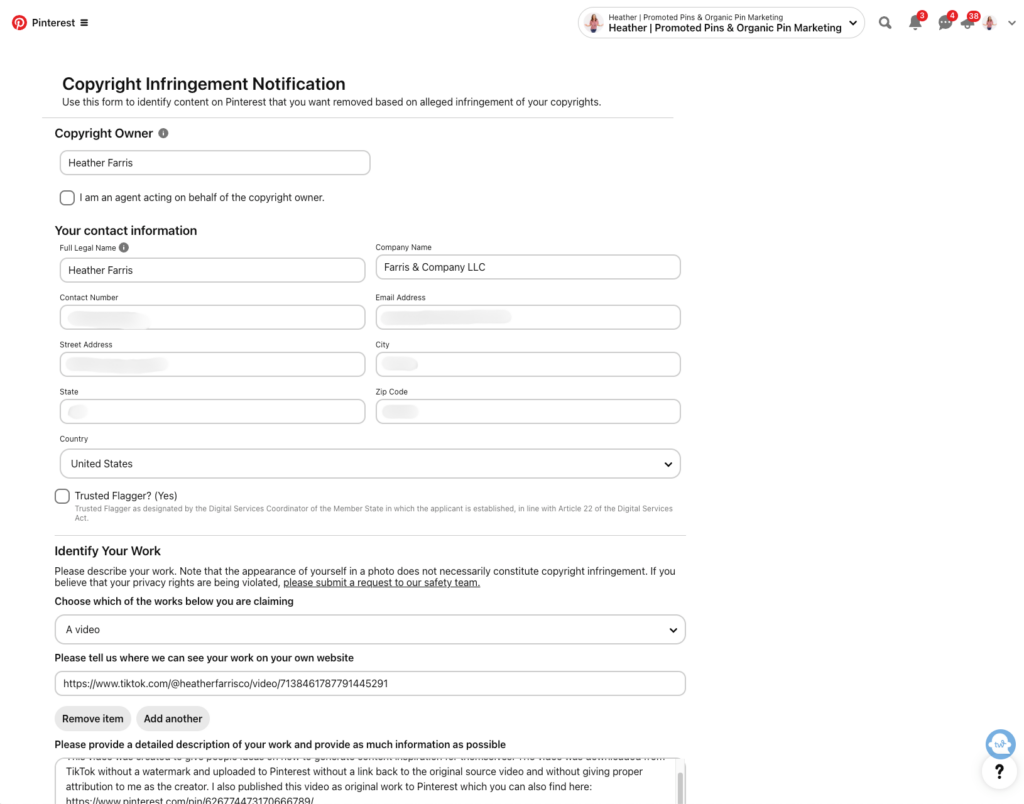
Once you do that, another window is going to open a menu of options to start the beginning of your report. On this menu choose ‘My intellectual property’ and follow the steps on the form to prove you’re the rights holder and copyright owner of your content.

Fill out this form with your details and submit it to Pinterest for review. This is all you need to do to file a copyright infringement report with Pinterest.
Considerations With Enforcement Actions
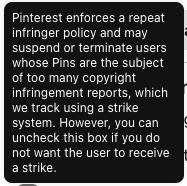
Before we move on we need to talk about the types of enforcement actions on the form. You have two options with your request:
- Remove all
- Strike
You can select either or both. I would always absolutely select ‘Strike’ so that the user who’s improperly marketing your own content without proper attribution, they need to be reported for that.
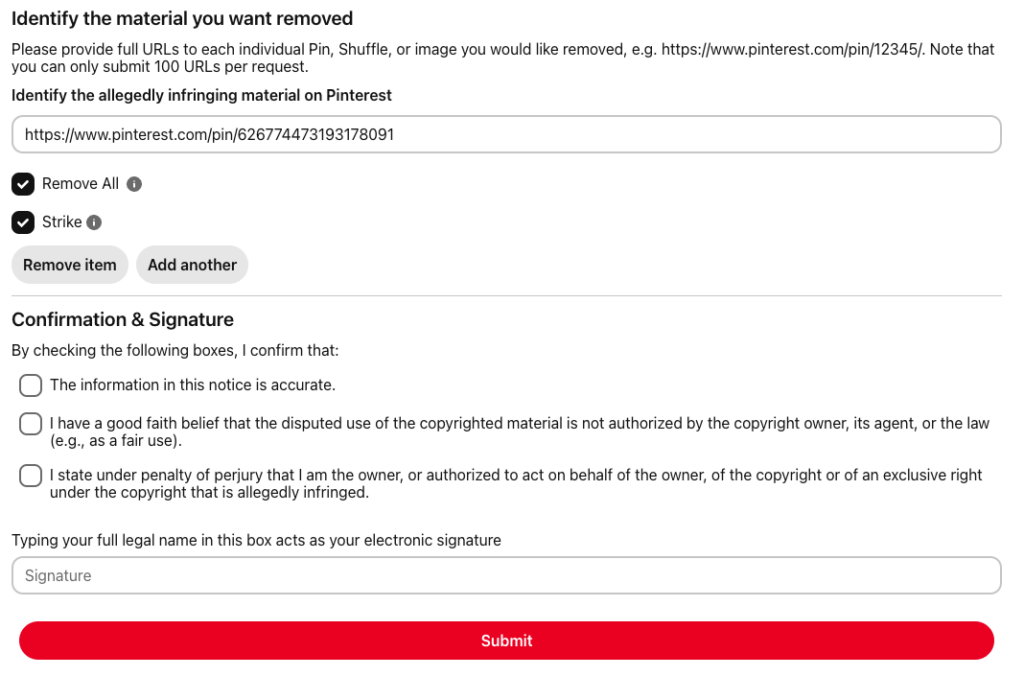
If you want ‘Remove all’, this includes all versions of your pins. Pins get duplicated when they’re re-saved and if you’ve got a great performing version that someone pinned, you don’t want that to be deleted. I wouldn’t go this route if you’re actively relying on those pins to drive traffic to your domain.
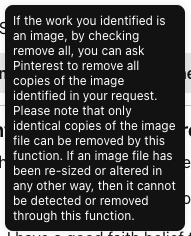
If you choose ‘Strike’, then your report (if successful) will give the other account a strike (like being flagged), which could lead to their account being removed, or temporary suspension of their ability to post. This is the best way to keep good traffic of your pins and still submit a copyright report.
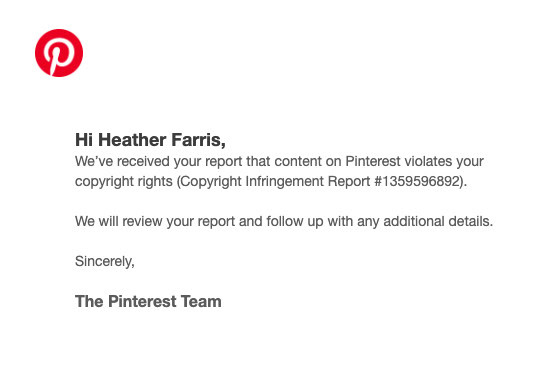
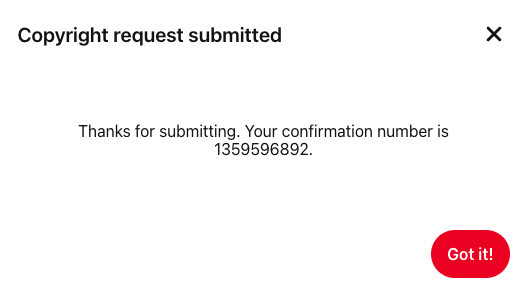
Once you submit the report you’ll get two notifications. One is right on the form after you submit and also an email confirmation.
After your submission, Pinterest typically removes the stolen content and notifies the uploader of the action. Follow up with Pinterest if you don’t hear back about your filing.
How to Apply to the Copyright Claim Portal
To submit content you want claimed on Pinterest as yours you can do so through the copyright claim portal. You have to apply to gain access to this content claiming portal and not everyone gets approved. But if you’re seeing enough published content getting traction through others, it’s worth applying for.
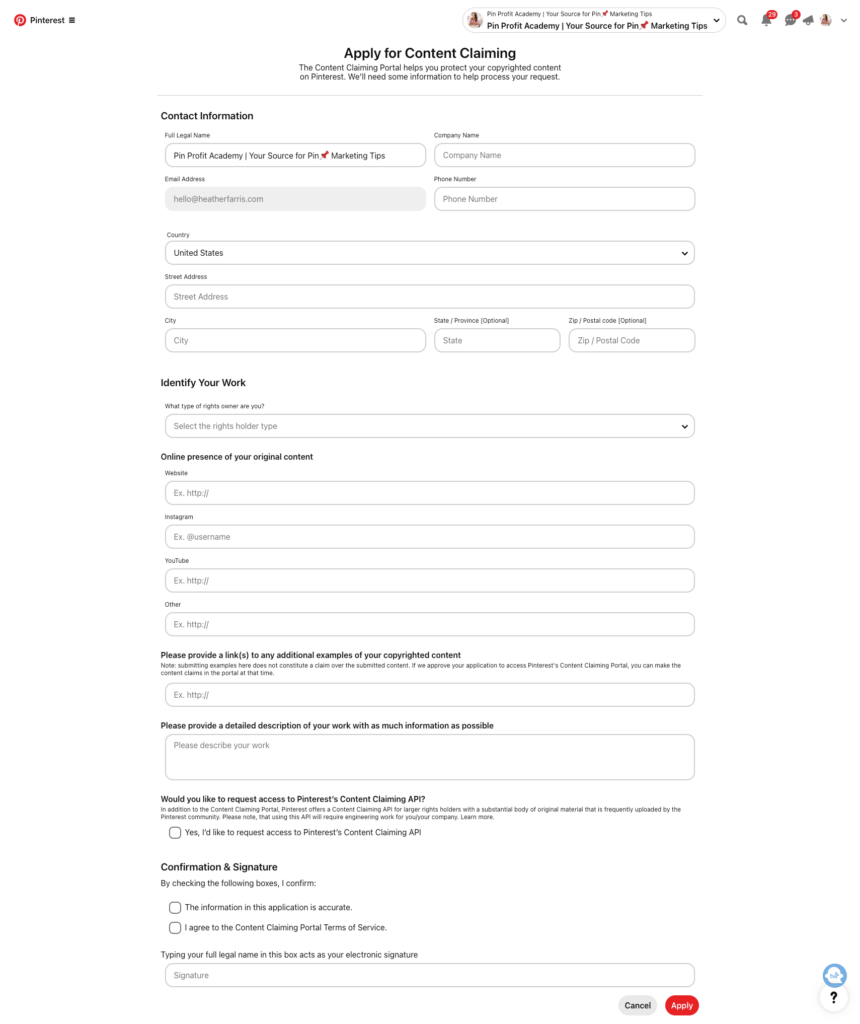
Once you have applied they will review your application and approve or reject you. I applied and got approved in 24 hours, but I don’t know what criteria causes immediacy or delay. Inside you can then being to upload content in batches of 50 pieces at a time. Located in the menu on your profile once approved will be a quick link to the portal.
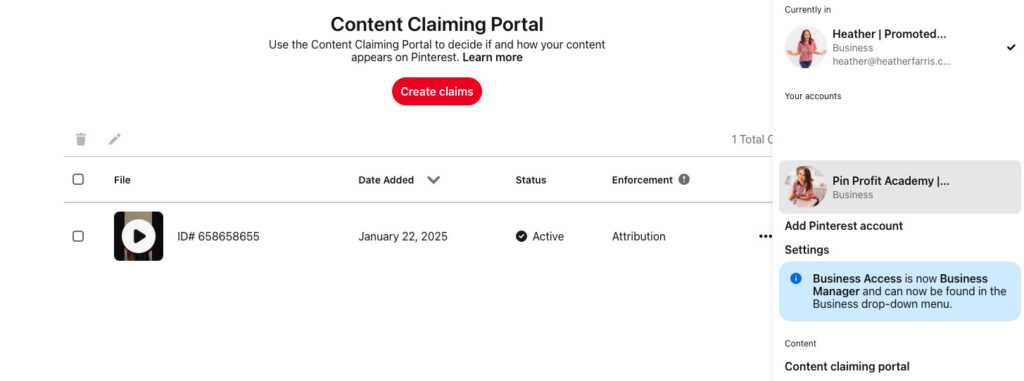
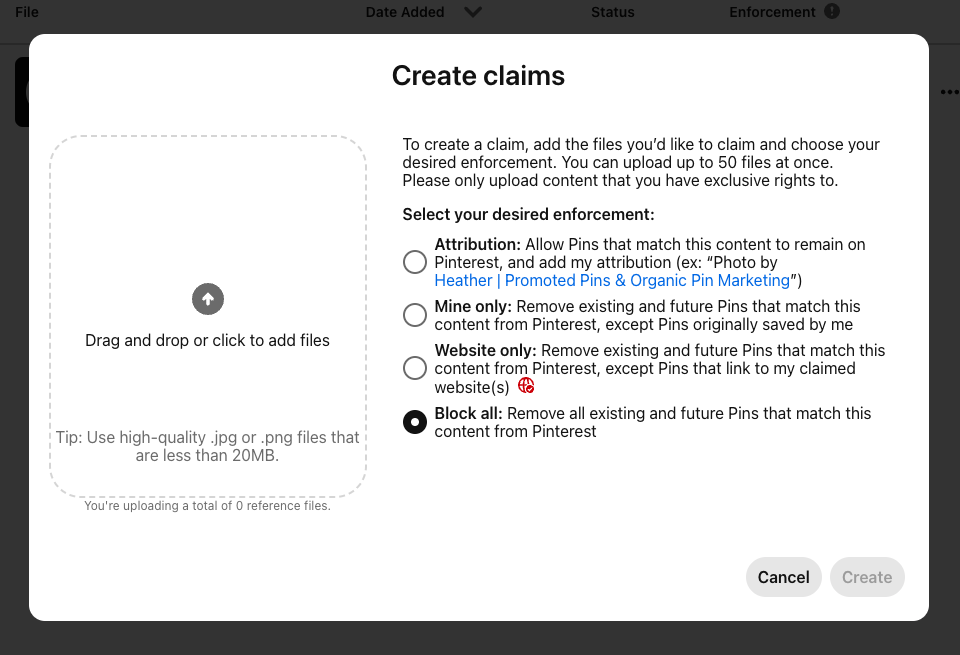
The enforcement action options are as follows:
- Attribution
- Mine only
- Website only
- Block all
Depending on what type of content it is and the purpose you’re using it for, all of these situations may be useful. So consider each, they’re outlined with details right when you upload your files.
Final Thoughts on Copyright Claims on Pinterest
In short, only file a Pinterest copyright claim when your original content is being used without permission. And epecially without proper attribution, and you can clearly show you own it. Before you submit a claim, document everything. Then use Pinterest’s copyright complaint form (or the Content Claiming tool if you qualify) to submit one clear, specific report. This is done for each piece of content.
Going forward, periodically checking Pinterest search results for your own content that may be taken by others. Hopefully you’ll never have to deal with it. If you’re tracking your content pieces as you create them, which I highly recommend, it will make this process easier. Use my Content Library Management ClickUp list to track everything, links and all with your content. It will make filing your copyright claim on Pinterest easier for proof you own your creation.

ClickUp Content Library Management List
This content management library list is a great way for people who create a lot of content that needs to stay up to date.
I use this template personally to manage the content I have previously published, storing my outlines, research and tasks all in one place.
Pin It For Later


Heather Farris went to school for accounting and worked for years in banking and finance. After finding all of that entirely too boring she started her first blog in her basement in August of 2016. She has started 3 blogs in the marketing, motherhood and travel niches and used Pinterest to grow them all. She quickly became the go-to Pinterest strategist in her peer circles and has been implementing strategies, driving traffic and sales through organic and paid tactics for her clients. On this blog and her YouTube channel, as a renowned Pinterest marketing expert, she educates the public about clear and transparent marketing strategies to help them to grow on Pinterest and in other places online. She created Pin Profit Academy and helps small business owners just like you to master their Pinterest marketing strategy. Heather is now a Pinterest Educator, one of the very few sponsored by Pinterest.