


Pinterest Board Covers for Better Conversions on Your Profile
Want to create Pinterest board covers so you have a cohesive brand to bring more conversions? Let’s do it. I am going to show you the exact method that I teach my clients and students to create Pinterest board covers.
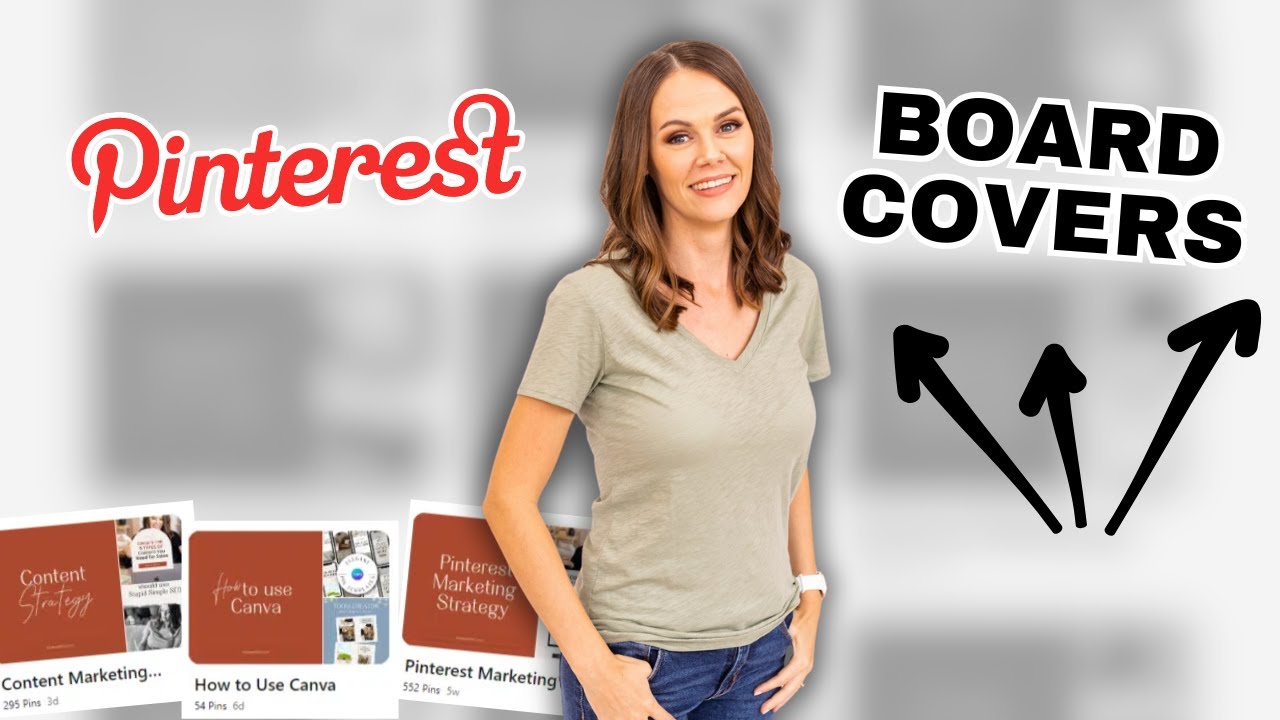
Why Pinterest board covers matter
This is one of the things that I have done differently than a lot of the other Pinterest educators in this space. It’s not optional to me. I think board covers are necessary. It creates a branded experience and keeps your audience engaged with your profile.
It makes your profile really easy to read and skim. People can see at a glance exactly what kind of content you have, or products you sell on your Pinterest profile and find what resonates with them.
A bonus is that board covers are still such a rarity that when people come across them on Pinterest, they usually engage with them. I still see traffic from my Pinterest board covers right alongside my regular pins. I sometimes see them as the top performing pins for a lot of my client’s accounts.
RELATED: How to Create Branded Pinterest Designs to Boost Sales

Pinterest Board Cover Templates for Canva
Transform your Pinterest profile into a clean, strategic storefront with these Canva Pinterest Board Cover Templates.
Designed for digital creators, e-commerce sellers, and Pinterest managers, these fully editable templates help you build a branded Pinterest experience in minutes—no design skills required.
Setting up your board covers design in Canva
Today I’m going to walk you through the extremely simple process of creating and uploading and applying board covers. It is so easy even my 10-year-old could do it. So let’s get into it.
You’re going to create a 1:1 ratio file size in Canva. I use a size of 2,000×2,000px. Then make the background color really plain. You can use your brand colors and fonts. I have my dark orange and black colors for mine.

Make a super simple graphic, you can even have two or three slight variants of each other. Mine are plain or have a slight wave on them, then two fonts at the most. The cover text is the keyword title for its applicable board. Short and sweet.
RELATED: The Ultimate Guide to Create Your Pinterest Board Strategy
Why Pinterest board covers must be simple
You might be asking yourself, “Why does it have to be plain?” It doesn’t necessarily have to be plain, but when you’re looking at a Pinterest profile and you’re skimming it, you really want to be able to see at a glance what people are creating content on very quickly.
We don’t want anyone to have to look at these tiny little thumbnails of these pins and feel confusion. You don’t want your audience looking and guessing at what you create. We want to be able to see these board covers and have it clear and to the point.

Creating your board cover in Canva
This is my very common board cover that I’ve been using for a long time. And I need a new one for a board titled ‘Pinterest Marketing for Podcasts’. I like a strong header font and then a script that is stylish but still easy to read. Use your own fonts that stay on brand but still very readable, just like when you’re creating regular pins.
When you download the image file, I recommend you keep it PNG and at a high resolution. Everything you upload to Pinterest loses resolution a bit so keeping it high from the start helps with that.

Uploading your board cover pin to Pinterest
Uploading Pinterest board covers works just like a regular pin you’re posting. You’re going to go to the menu and click ‘Create pin’. Drag and drop your board cover you just created. Then open a second Pinterest tab in a second window so you can navigate back and forth to the board your cover was designed for.


Have your board already optimized with a title and description from your keyword research. We’re going to just use the same title and description of the board for our board cover pin. Now I don’t want you to overthink this and make it complicated. It’s not.
Get that board pulled up, and also get the link of the blog post or page where you want to link this to. I happen to have a blog post about using Pinterest to promote your podcast. So I’m going to use that and have that URL ready.
RELATED: 6 Places to Use Keywords to Optimize Your Pinterest Profile
Applying your Pinterest pin as a board cover
Now copy and paste in everything to your pin (board cover), just like any other pin you’re optimizing.
- Pin title from the name of your board
- Pin description from your board description
- Destination link from blog post URL
- Board selection for the applicable board
Don’t worry about the little warning that pops up about the recommended 2×3 pin size. Then click ‘Publish’ to publish immediately. From the board, click on the three dots in the top right hand corner and click ‘Edit board’. Or if you’re back on just your saved tab, you can hover over the board title.


Click the pencil icon to select your board cover pin to designate it as the board cover. Click ‘Done’ and go back to your profile to refresh and confirm the board cover shows up.
Then monitor if your board cover pins show up as top pins or getting lots of clickthroughs. If you find the style of one board cover outdoes other, you may consider switching the style to what is popular with your audience.
RELATED: Pinterest Analytics: A Simple Guide to Read & Analyze Your Data
Final thoughts on Pinterest board covers for better conversions
Now that you know how to create Pinterest board covers, make sure you get them created and done. Your Pinterest profile will stand out and capture more attention from your audience by connecting your brand with your content well.
If you want to take your entire Pinterest marketing strategy to the next level, with in person support from me and our community, join us inside of Pin Profit Academy. Happy pinning!

Pin Profit Academy
Marketing can be difficult and trying to figure it out on your own, especially with Pinterest, can be overwhelming.
I will show you how to double your traffic and sales without spending another minute on social media!
PPA is the only comprehensive membership program & community for creating, marketing & selling your products & services using Pinterest.
Pin it for later


Heather Farris went to school for accounting and worked for years in banking and finance. After finding all of that entirely too boring she started her first blog in her basement in August of 2016. She has started 3 blogs in the marketing, motherhood and travel niches and used Pinterest to grow them all. She quickly became the go-to Pinterest strategist in her peer circles and has been implementing strategies, driving traffic and sales through organic and paid tactics for her clients. On this blog and her YouTube channel, as a renowned Pinterest marketing expert, she educates the public about clear and transparent marketing strategies to help them to grow on Pinterest and in other places online. She created Pin Profit Academy and helps small business owners just like you to master their Pinterest marketing strategy. Heather is now a Pinterest Educator, one of the very few sponsored by Pinterest.









