


A Super Simple Pinterest Strategy for Bloggers
Looking to create a Pinterest strategy for your blog? Let’s drive traffic to your content with this complete Pinterest strategy for bloggers. No matter your niche or small business offerings.
Whether you’re looking to monetize with affiliate links, or display ads on your website, or eventually your own digital products, in today’s post I’m going to walk you through a simple Pinterest strategy for blog posts and best practices you can implement today.
This is specifically just for bloggers in general. I’m also going to answer some of your most commonly asked Pinterest questions for bloggers.
The 4 Core Components of a Pinterest Strategy for Bloggers
A Pinterest strategy for bloggers is going to consist of all of the main core components of a Pinterest strategy for anyone else. So you are no different. You’re going to have:
- A board strategy
- A keyword strategy
- An image strategy
- A scheduling strategy
The fifth strategy is analytics, but we’re not going to worry about that today. You can dive into that later after you have a few months of data to work with.
RELATED: The Complete Pinterest Marketing Strategy I Would Tell My Friends in 2025
Step #1: Create Your Board Strategy
The first thing that I want you to do when creating your Pinterest strategy for bloggers is to create your board strategy. Out of the four components of a Pinterest marketing strategy, you have to start with boards because that’s where all of your content is going to live on Pinterest.
I usually opt to create the boards from the blog categories on my website. For example, if you pop over to my blog, you’ll notice these five topics right across the top:
- Organic Pinterest marketing
- Promoted Pinterest marketing
- Approved schedulers
- Pinterest manager trainings
- Blogging and content strategy

What I want you to do is start by creating your boards for each of these pillars, or the categories on your website. Then each category—if there are topics underneath it—those can become either subsections inside of your main boards or they can become standalone boards as well.
RELATED: 5 Types of Content Creation You Need to Generate More Sales
Example: Creating Niche Boards
For example, on my Pinterest blog, I have the category ‘Pinterest Marketing Strategy’, and within that I have all sorts of topics: the best sharing plugins, how to claim your website, Pinterest marketing strategies for different niches, etc.
So I could have an assortment for boards that looks something like:
- Pinterest marketing tools
- Pinterest marketing strategy
- Pinterest marketing for authors
- Pinterest marketing for bloggers
That could be four different boards that I can create for this one niche I blog about, all from this one category on my site.
RELATED: The Ultimate Guide to Create Your Pinterest Board Strategy
Step #2: Connect Content to Boards
From there, what you want to do is plan pins for those boards. So you create the boards, you write a really solid board title, you fill out your board description.
Then we need to take a look at the blog content we have on our website that’s going to match each of those boards.
RELATED: 3 Types of Pinterest Pins (That Aren’t Video) For Your Marketing Strategy
A Simple Pinterest Strategy Example for Images
Here is where your super simple Pinterest strategy for images comes into play. Let’s say, for example, you have a blog post and it is about creating sugar cookies or baking sugar cookies. You have a number of different recipes on your blog, and you’re creating a roundup of 10 different recipes that you want to share with people.
Now those 10 recipes in your one blog post can be showcased as 10 individual Pinterest pins. You have one blog post—The Best Sugar Cookies on Earth—and we have five boards that we’ve created for this niche topic:
- Easy sugar cookie recipes
- Easy baking recipes
- Frosted sugar cookies
- Christmas cookie recipes
- Gluten-free desserts
We have a recipe that can fit inside of each of those five Pinterest boards. You can apply the same for any type of content you have. You can have pin images for all the subtopics, pinned with the same URL because it’s the same blog post. But the pin content itself, title, description, image, is all unique and totally doable.
RELATED: How Often Can You Pin the Same URL to Pinterest Without Being Spammy?
Step #3: Find Keywords for Your Pins
Now what we need to do is keyword research for those pins. So we’re going to pop over to the Pinterest Trends Tool. It’s a great way to find keywords for your Pinterest strategy.
You’re going to dive into the interest of your category—so following our cookie example, the area would be ‘Food and Drink’. Then we’re going to type in the recipe that we are looking to search for—’sugar cookie’—and hit enter.

Pinterest is going to show you a bunch of different keywords that are related to your topic. I typically filter to ‘Top Yearly’ first because I want to see what’s actually growing for the year. Then you can also look at ‘Top Monthly’ and see what people are really searching for right now. This can help you plan your content to create what is most popular at any given time.

Quick Hack: Exporting Keywords
Click the ‘Export to CSV’ file and import it into a spreadsheet. Then you have a list of keywords that you can easily copy and paste. Don’t copy straight from the tool—it pastes weird formatting and links that just makes a mess. Export to CSV and clean it up in a spreadsheet.

Step #4: Create & Schedule Pins
Once you’ve figured out what you want your 10 keywords to be, you’re going to start creating your Pinterest pins. You can use different templates that I’ve created in my Canva template library.
You’ll customize images for each of your pins. Apply the keywords in your text overlay. They will all fit those different boards that you have created on your profile.
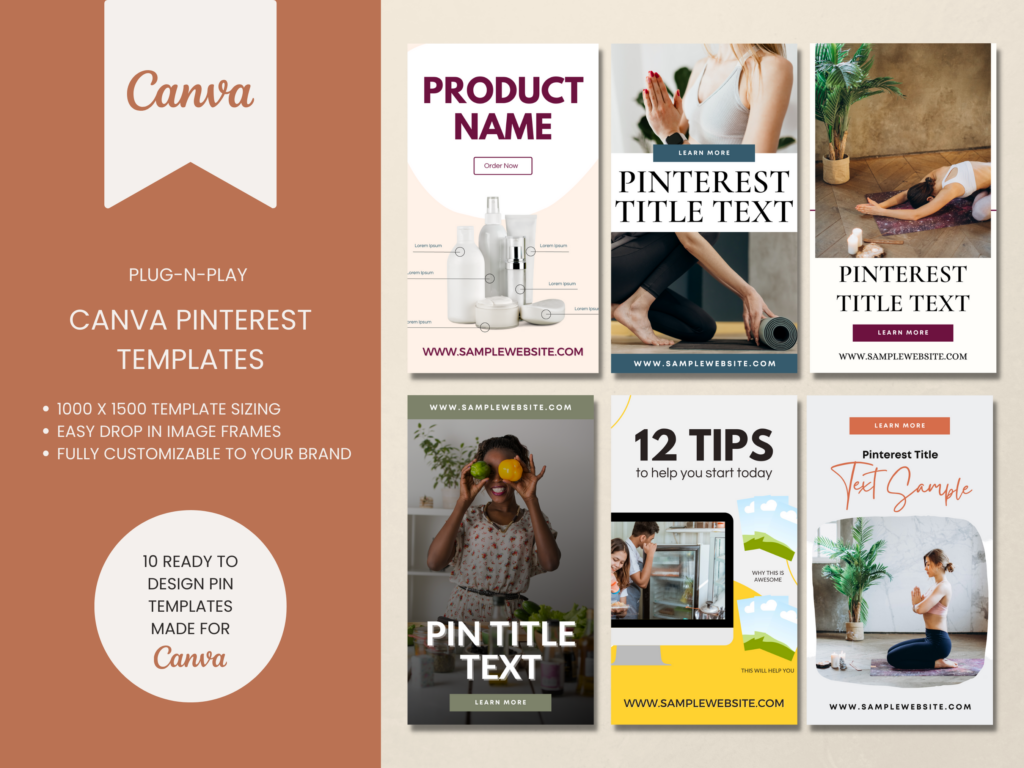
Video or Content Pinterest Templates
If you want traffic don’t rely on something just whipped up! Speed up your pin creation by using templates to get more pins out faster and more often.
These Pinterest templates are great for video content or blog posts & are ready to go. You can start creating pins on Pinterest in minutes.
Example Pin Schedule Breakdown
Let me show you how this is actually going to play out. Say what you’ve done is create two pins per board. Each of these pins in your schedule, they are going to go out once per week to that board.
If you want to bump that up to go out two pins per week for the same board, you could do that too. Either way, they are spaced out and not all going on the platform on the same day. Rotate things, mix it up. As long as you stay consistent for long-term growth.
RELATED: How to Bulk Schedule Pins on Pinterest for FREE
Keyword Targeting Per Pin
What’s happening here is that we are targeting a different board for two pins and targeting different keywords per pin. One is targeting ‘decorated sugar cookies’, while the other is targeting ‘frosted sugar cookies’.
More examples:
- May 15 & 22 → Easy Sugar Cookies board
- Keywords: soft and chewy, how to make sugar cookies
- May 29 & June 5 → Gluten-Free Desserts board
- Keywords: gluten-free sugar cookies, soft batch recipes
- June 12 & 19 → Easy Baking Recipes board
- Keywords: 15 delicious recipes, how to make soft and chewy sugar cookies at home
- Late May & Early June → Christmas Cookie Recipes board
- Pinterest trends for Christmas spike around July, so publish starting June
RELATED: Schedule Your Pins for FREE using the Native Pinterest Scheduler
Common Pinterest Strategy Questions
Q1: How many times can I pin to the same URL?
If you follow this strategy, you don’t need to worry. Cap your pins per day to around five. Focus on fresh pins instead of repinning.
Q2: Should I use static or video creatives?
Both! If you can make videos—great. Use stock if needed. Canva has video options. If you can only do static, that’s fine too.
Q3: Can I reuse images with new templates?
Yes, and you should. You can reuse images but change the template or overlay.
Q4: Should group boards be part of the strategy?
They don’t have to be. Only use them for meaningful collaboration with bloggers in the same niche.
Q5: Should I use hashtags in descriptions?
No. Use keywords. Hashtags aren’t necessary. Focus on writing descriptions with keywords in complete sentences.
Q6: What are the ideal Pinterest image sizes?
- 1000×1500 px (2:3 ratio)
- 1080×1920 px (story pin/Instagram size)
Q7: How many times should I pin per day?
It depends on your capacity. You don’t need to do 100 a day, like a lot of people think. Focus on quality. Pin 3, 5, 10, or 15 a day—whatever is sustainable. Even just 1 is enough, as long as you’re consistent.
Final Thoughts on a Simple Pinterest Strategy for Bloggers
If you need more Pinterest marketing support, I encourage you to check out Pin Profit Academy—it’s a great place for beginners and even the seasoned Pinterest marketer. You’ll find even more Pinterest strategy for bloggers and next steps to take.
You can also reach out to me directly right here, and we can help you craft your Pinterest strategy. Talk soon!

Pin Profit Academy
Marketing can be difficult and trying to figure it out on your own, especially with Pinterest, can be overwhelming.
I will show you how to double your traffic and sales without spending another minute on social media!
PPA is the only comprehensive membership program & community for creating, marketing & selling your products & services using Pinterest.
Pin it for later


Heather Farris went to school for accounting and worked for years in banking and finance. After finding all of that entirely too boring she started her first blog in her basement in August of 2016. She has started 3 blogs in the marketing, motherhood and travel niches and used Pinterest to grow them all. She quickly became the go-to Pinterest strategist in her peer circles and has been implementing strategies, driving traffic and sales through organic and paid tactics for her clients. On this blog and her YouTube channel, as a renowned Pinterest marketing expert, she educates the public about clear and transparent marketing strategies to help them to grow on Pinterest and in other places online. She created Pin Profit Academy and helps small business owners just like you to master their Pinterest marketing strategy. Heather is now a Pinterest Educator, one of the very few sponsored by Pinterest.









